C#开发跨平台游戏——游戏中使用多张图片实现动画
上一篇我们讲了游戏中使用背景音乐和按钮音效,今天我们来讲解如何使用多张连续图片实现游戏中的动画。
首先下载连续的动画图: Joy.zip ,下载后解压文件。将整个Jay文件夹复制到【HelloWorld.XNAContent】项目中,
点开【HelloWorld.XNAContent】项目中【Jay】目录,注意这些图片的前半部分的名字是一样的,不一样的是后面带数字的部分。

打开Game1.cs,找到上一篇提到的【SoundEffect buttonPressedSound;//定义按钮音效】,在它下面定义一个列表来存放这些图片:
List<Texture2D> blacksmithJoyTextures;//定义图片列表
定义一个矩形来控制动画显示的位置和大小,由于动画是多张图片快速切换形成的,所以这个矩形只需要一个。
Rectangle blacksmithJoyRect;
定义动画的当前显示的图片索引,也就是当前显示的图片是第几张加1
int currentFrame = 0;// 当前图片索引
找到【LoadContent()】方法,在方法体内实例化图片列表并用一个for循环来加载图片纹理,这里有个规律当小于10的情况下,图片名称的最后是00i,大于等于10为0i。
blacksmithJoyTextures = new List<Texture2D>();
            for(int i=0;i<30;i++)
            {
                Texture2D blacksmithJoyTexture;
                if (i < 10)
                {
                    blacksmithJoyTexture = Content.Load<Texture2D>("Joy/0_Blacksmith_Joy_00" + i);
                }
                else
                {
                    blacksmithJoyTexture = Content.Load<Texture2D>("Joy/0_Blacksmith_Joy_0" + i);
                }
                blacksmithJoyTextures.Add(blacksmithJoyTexture);
            }
同时初始化动画的位置和大小 X轴100,Y轴100,大小是200的正方形
blacksmithJoyRect = new Rectangle(100, 100, 200, 200);
接着,找到【Draw(GameTime gameTime)】,找到【spriteBatch.Draw(mouseCursor,mouseCursorPosition,Color.White);】在它的前面输入
spriteBatch.Draw(blacksmithJoyTextures[currentFrame], blacksmithJoyRect, Color.White);
来画出当前显示的图片,由于currentFrame是0,所以显示的是第一帧。目前还不会动。
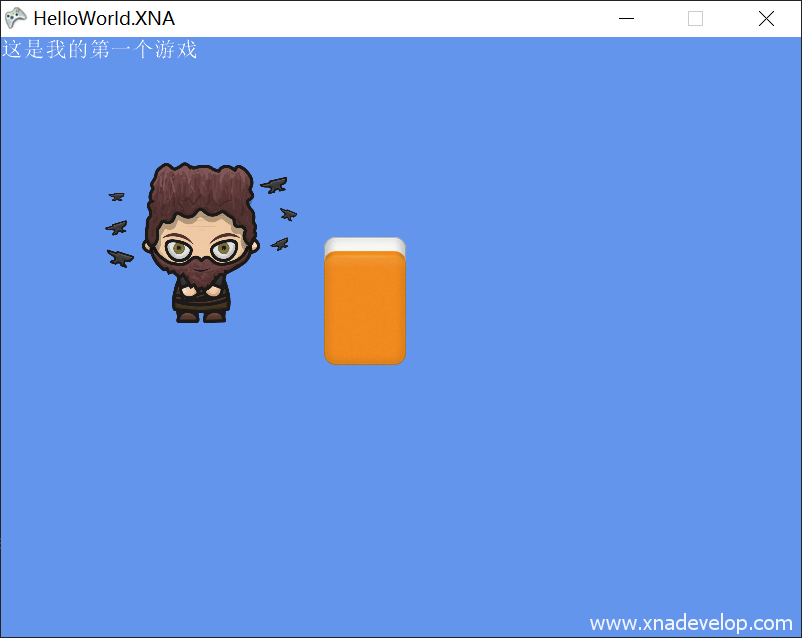
下面我们让它动起来,找到【Update(GameTime gameTime)】方法,在方法体内加入
if (currentFrame >= blacksmithJoyTextures.Count - 1)//判断当前图片是否是最后一张
           {
               currentFrame = 0;是最后一张显示第一张图片
           }
           else
           {
               currentFrame += 1;不是最后一张,就显示下一张
           }
完整代码如下:
using System;
using System.Collections.Generic;
using System.Linq;
using Microsoft.Xna.Framework;
using Microsoft.Xna.Framework.Audio;
using Microsoft.Xna.Framework.Content;
using Microsoft.Xna.Framework.GamerServices;
using Microsoft.Xna.Framework.Graphics;
using Microsoft.Xna.Framework.Input;
using Microsoft.Xna.Framework.Media;

namespace HelloWorld.XNA
{
    /// <summary>
    /// This is the main type for your game
    /// </summary>
    public class Game1 : Microsoft.Xna.Framework.Game
    {
        GraphicsDeviceManager graphics;
        SpriteBatch spriteBatch;
        SpriteFont defaultFont;
        Color backgoundColor;
        Texture2D mouseCursor;
        Vector2 mouseCursorPosition;

        Texture2D buttonNormal;
        Texture2D buttonMoveOver;
        Texture2D buttonPressed;
        Rectangle buttonRect;
        Texture2D button;

        Song backgroundMusic;//定义背景音乐
        SoundEffect buttonPressedSound;//定义按钮音效

        List<Texture2D> blacksmithJoyTextures;//定义图片列表
        Rectangle blacksmithJoyRect;//动画的位置及大小
        int currentFrame = 0;// 当前图片索引

        public Game1()
        {
            graphics = new GraphicsDeviceManager(this);
            Content.RootDirectory = "Content";
            graphics.PreferredBackBufferWidth = 800;
            graphics.PreferredBackBufferHeight = 600;
            graphics.IsFullScreen = false;
            IsMouseVisible = false;
        }


        /// <summary>
        /// Allows the game to perform any initialization it needs to before starting to run.
        /// This is where it can query for any required services and load any non-graphic
        /// related content.  Calling base.Initialize will enumerate through any components
        /// and initialize them as well.
        /// </summary>
        protected override void Initialize()
        {
            // TODO: Add your initialization logic here

            base.Initialize();
        }

        /// <summary>
        /// LoadContent will be called once per game and is the place to load
        /// all of your content.
        /// </summary>
        protected override void LoadContent()
        {
            // Create a new SpriteBatch, which can be used to draw textures.
            spriteBatch = new SpriteBatch(GraphicsDevice);

            // TODO: use this.Content to load your game content here
            defaultFont = Content.Load<SpriteFont>("DefaultFont");

            backgoundColor = Color.CornflowerBlue;

            mouseCursor = Content.Load<Texture2D>("MouseCursor");

            buttonNormal = Content.Load<Texture2D>("ButtonNormal");
            buttonMoveOver = Content.Load<Texture2D>("ButtonMoveOver");
            buttonPressed=Content.Load<Texture2D>("ButtonPressed");

            buttonRect = new Rectangle(300, 200,128,128);

            button = buttonNormal;

            backgroundMusic = Content.Load<Song>("BackgroundMusic");//加载背景音乐
            buttonPressedSound = Content.Load<SoundEffect>("ButtonPressedSound");//加载按钮音效

            MediaPlayer.IsRepeating = true;//重复播放背景音乐
            MediaPlayer.Play(backgroundMusic);//播放背景音乐
            //MediaPlayer.Volume = 1;//背景音乐声音大小(0.1f-1.0f)
            //MediaPlayer.Stop();

            blacksmithJoyTextures = new List<Texture2D>();
            for(int i=0;i<30;i++)
            {
                Texture2D blacksmithJoyTexture;
                if (i < 10)
                {
                    blacksmithJoyTexture = Content.Load<Texture2D>("Joy/0_Blacksmith_Joy_00" + i);
                }
                else
                {
                    blacksmithJoyTexture = Content.Load<Texture2D>("Joy/0_Blacksmith_Joy_0" + i);
                }
                blacksmithJoyTextures.Add(blacksmithJoyTexture);
            }
            blacksmithJoyRect = new Rectangle(100, 100, 200, 200);
        }

        /// <summary>
        /// UnloadContent will be called once per game and is the place to unload
        /// all content.
        /// </summary>
        protected override void UnloadContent()
        {
            // TODO: Unload any non ContentManager content here
        }

        /// <summary>
        /// Allows the game to run logic such as updating the world,
        /// checking for collisions, gathering input, and playing audio.
        /// </summary>
        /// <param name="gameTime">Provides a snapshot of timing values.</param>
        protected override void Update(GameTime gameTime)
        {
            // Allows the game to exit
            KeyboardState keyboardState = Keyboard.GetState(PlayerIndex.One);
            if(keyboardState.IsKeyDown(Keys.Escape))
            {
                this.Exit();
            }
            if(keyboardState.IsKeyDown(Keys.F10))
            {
                graphics.IsFullScreen = true;
                graphics.ApplyChanges();
            }
            if(keyboardState.IsKeyDown(Keys.F11))
            {
                graphics.IsFullScreen = false;
                graphics.ApplyChanges();
            }
            if (keyboardState.IsKeyDown(Keys.F12))
            {
                graphics.PreferredBackBufferWidth = 1920;
                graphics.PreferredBackBufferHeight = 1080;
                graphics.ApplyChanges();
            }

            MouseState mouseState = Mouse.GetState();//获取鼠标状态
            if(mouseState.LeftButton==ButtonState.Pressed)//判断是否按下了鼠标左键
            {
                backgoundColor = Color.Red;//将背景设置为红色
                if (buttonRect.Contains(mouseState.X, mouseState.Y))//判断鼠标是否移动到按钮上并且按下
                {
                    button = buttonPressed;//将按钮设置为按下状态
                    buttonPressedSound.Play();//播放按钮音效
                }
            }
            else
            {
                if (buttonRect.Contains(mouseState.X, mouseState.Y))//判断鼠标是否移动到按钮上
                {
                    button = buttonMoveOver;//将按钮设置为悬停状态
                }
                else//鼠标不在按钮上
                {
                    button = buttonNormal;//将按钮设置为正常状态
                }
                backgoundColor = Color.CornflowerBlue;//放开鼠标左键恢复成蓝色
            }

            mouseCursorPosition = new Vector2(mouseState.X, mouseState.Y);

            if (currentFrame >= blacksmithJoyTextures.Count - 1)
            {
                currentFrame = 0;
            }
            else
            {
                currentFrame += 1;
            }

            // TODO: Add your update logic here

            base.Update(gameTime);
        }

        /// <summary>
        /// This is called when the game should draw itself.
        /// </summary>
        /// <param name="gameTime">Provides a snapshot of timing values.</param>
        protected override void Draw(GameTime gameTime)
        {
            GraphicsDevice.Clear(backgoundColor);//绘制游戏背景

            // TODO: Add your drawing code here
            spriteBatch.Begin();
            spriteBatch.DrawString(defaultFont, "这是我的第一个游戏", Vector2.Zero, Color.White);

            //绘制按钮
            spriteBatch.Draw(button, buttonRect, Color.White);

            spriteBatch.Draw(blacksmithJoyTextures[currentFrame], blacksmithJoyRect, Color.White);

            spriteBatch.Draw(mouseCursor,mouseCursorPosition,Color.White);
            spriteBatch.End();

            base.Draw(gameTime);
        }
    }
}
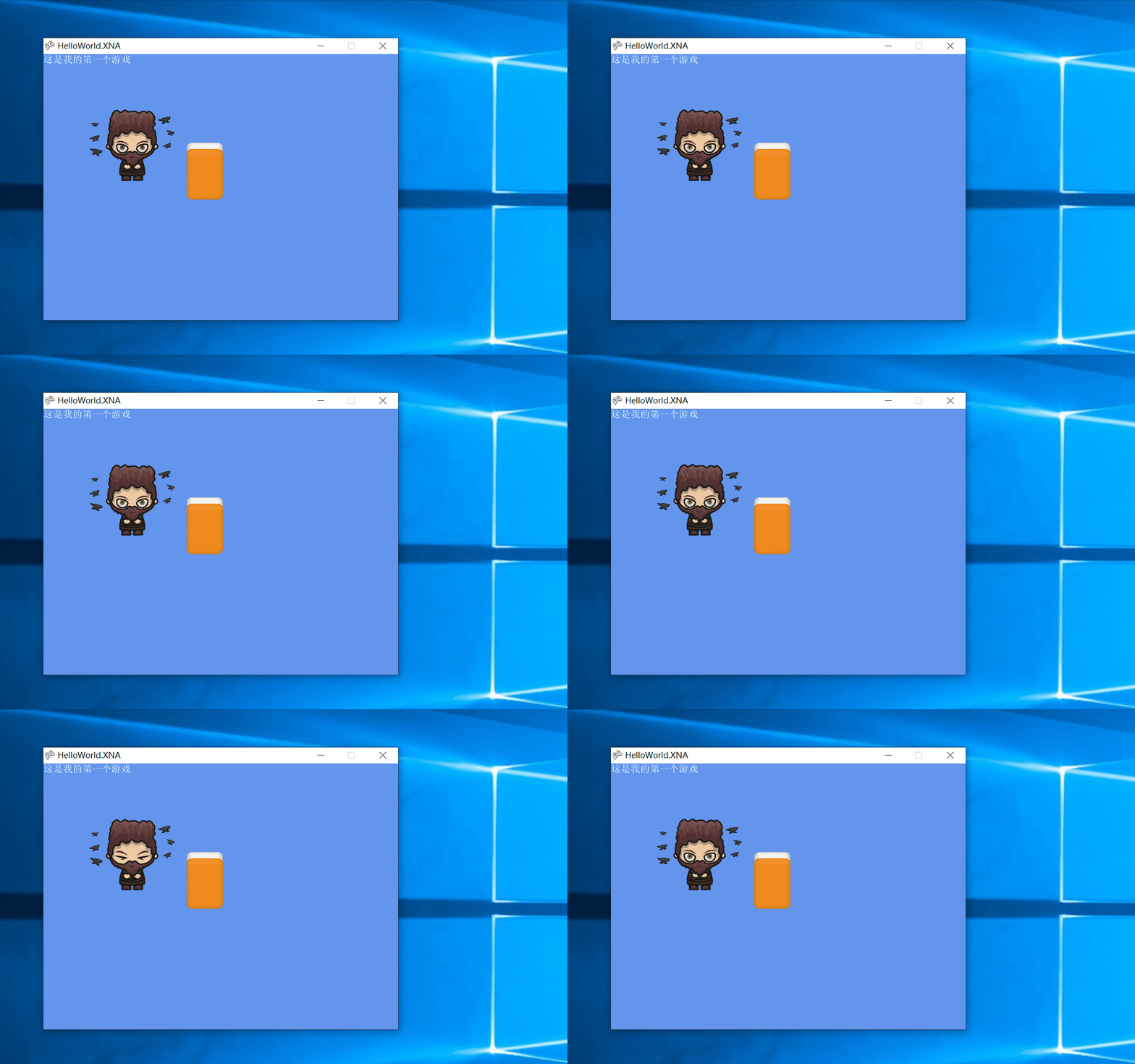
点击【启动】

运行效果如下。
最后推荐一个素材网站https://craftpix.net/,可以在里面下载到免费的游戏素材。
