C#开发跨平台游戏——项目实战《选老婆》
根据之前所学的知识:
C#开发跨平台游戏——XNA简介
C#开发跨平台游戏——MONOGAME简介
C#开发跨平台游戏——安装VISUAL STUDIO 2017
C#开发跨平台游戏——VISUAL STUDIO 2017安装XNA
C#开发跨平台游戏——VISUAL STUDIO 2017安装MONOGAME
C#开发跨平台游戏——编写第一个C#游戏
C#开发跨平台游戏——在游戏中使用中文
C#开发跨平台游戏——游戏的全屏窗口及退出
C#开发跨平台游戏——设置游戏的窗口大小及分辨率
C#开发跨平台游戏——在游戏中显示系统默认鼠标及鼠标的基本使用
C#开发跨平台游戏——自定义游戏鼠标光标
C#开发跨平台游戏——游戏中按钮的实现
C#开发跨平台游戏——在游戏中使用背景音乐和按钮音效
C#开发跨平台游戏——游戏中使用多张图片实现动画
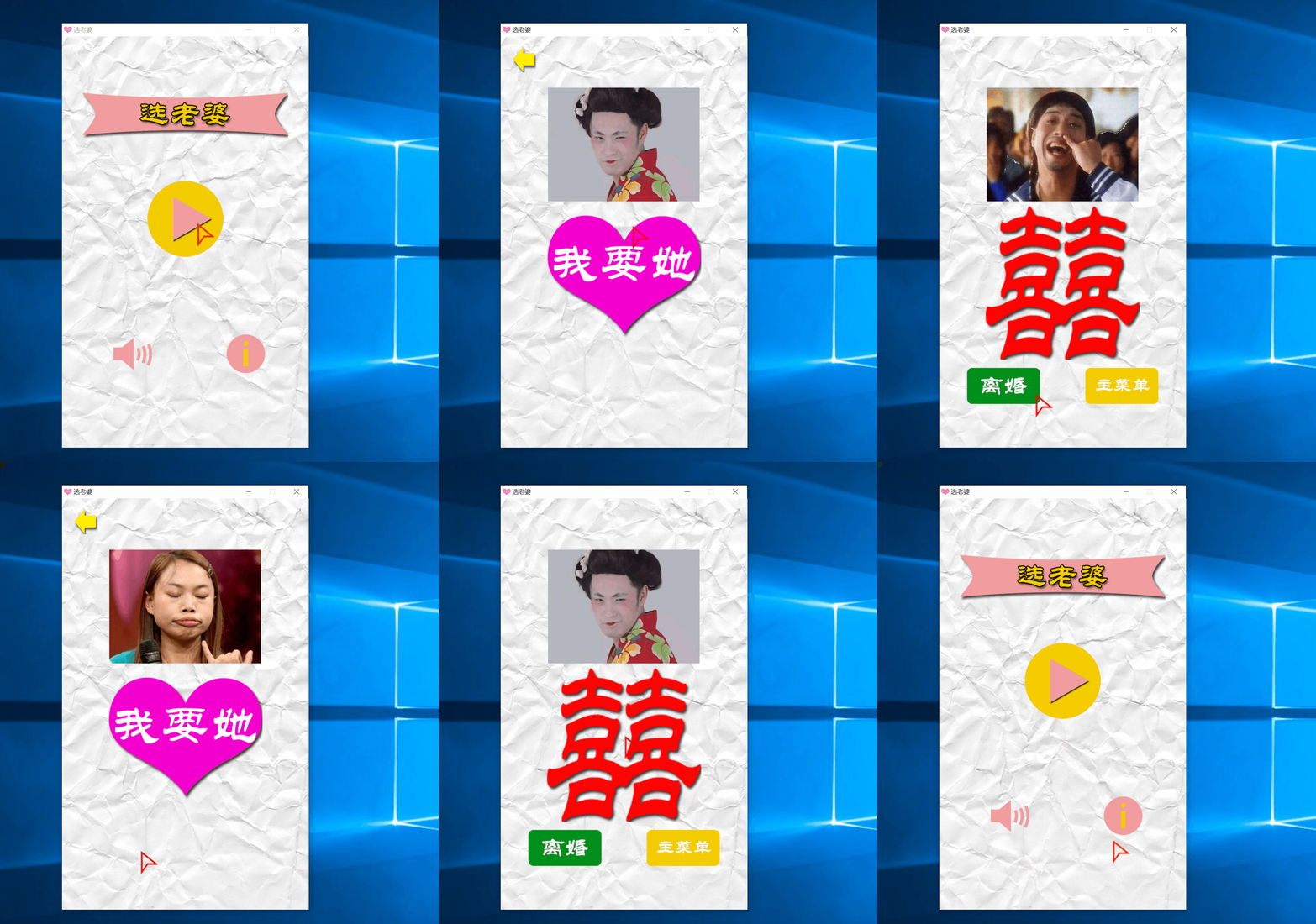
今天开始我们来一起做一个小游戏——《选老婆》
首先下载本游戏需要用到的所有素材:SelectWifeContent.zip
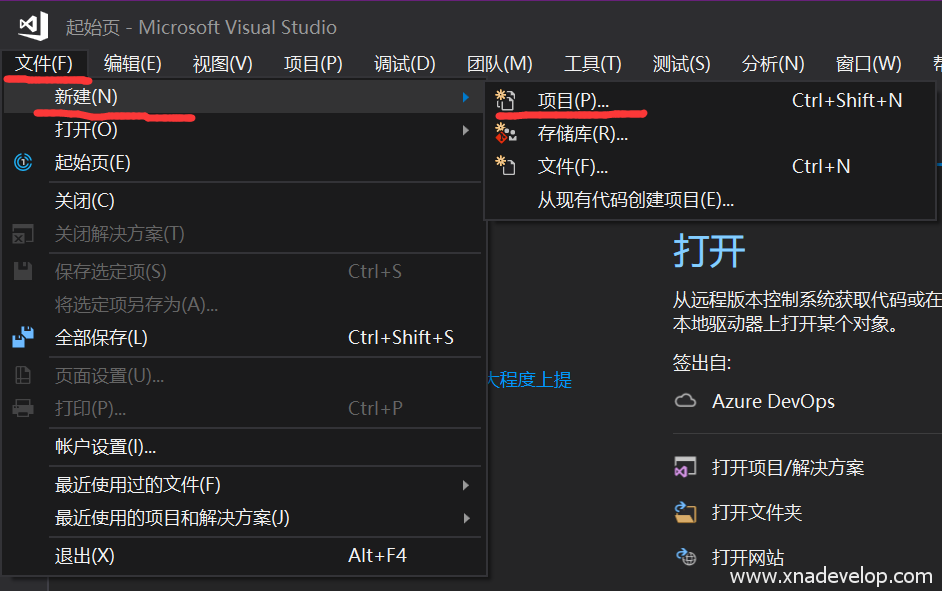
打开Visual Studio 2017,【文件】【新建】【项目】,如下图:
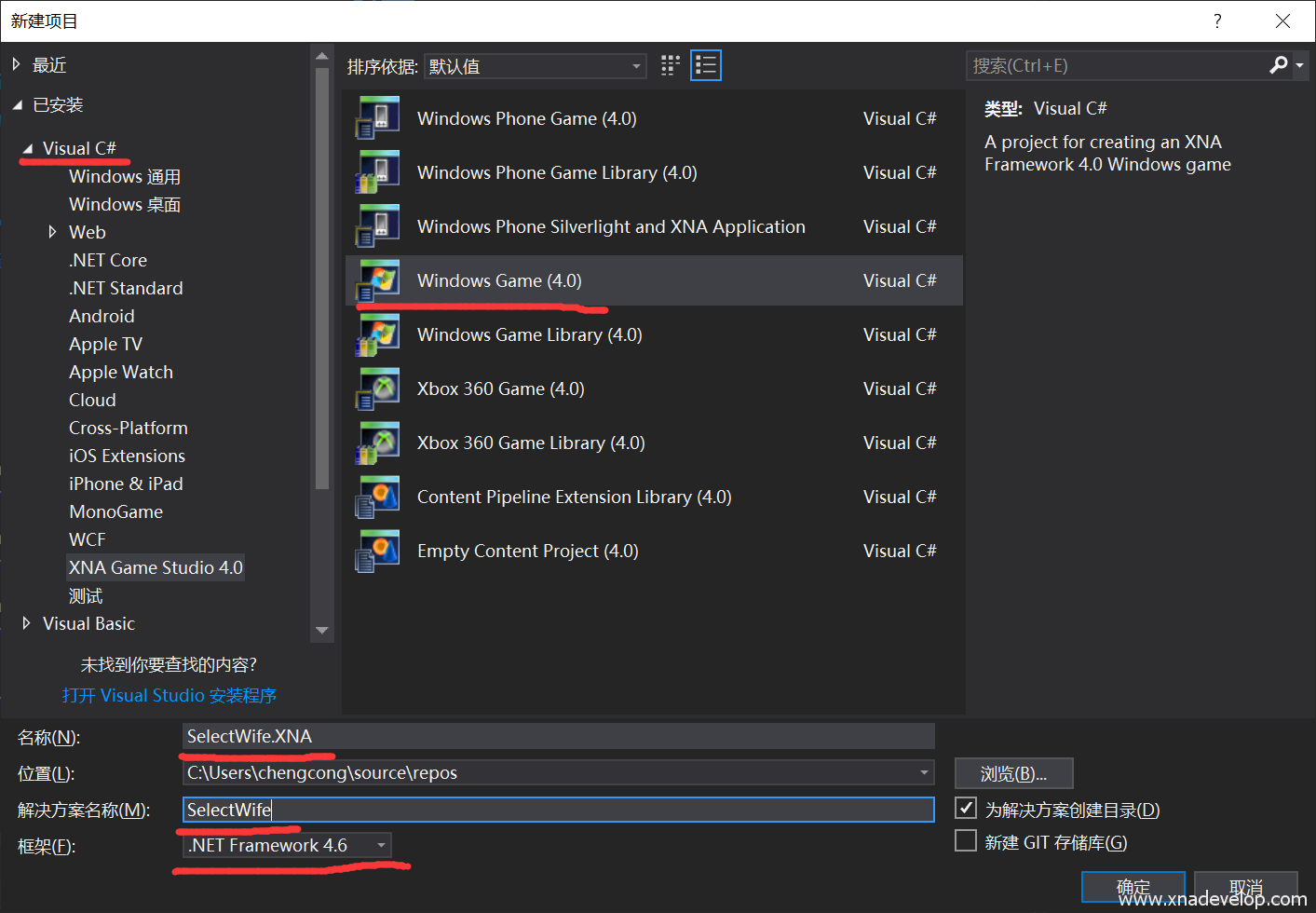
【Visual C#】【Windows Games】,名称输入【SelectWife.XNA】,解决方案名称输入【SelectWife】,框架选择【.NET Framework 4.6】,点击【确定】。如下图:
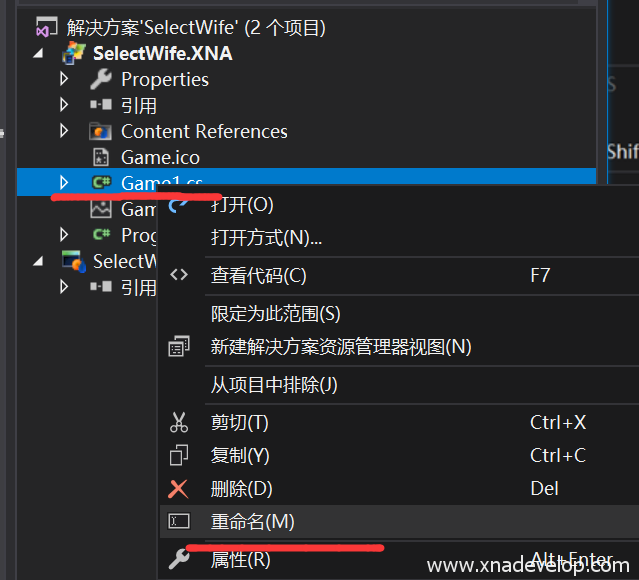
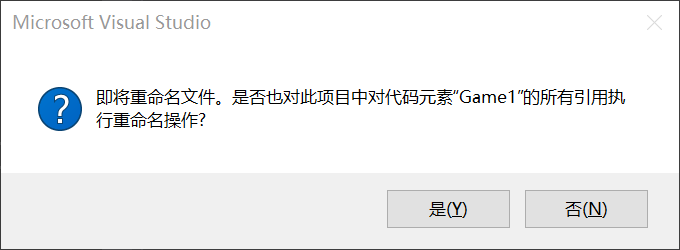
找到解决方案管理器,选中Game1.cs,右键【重命名】为【GameMain.cs】。如下图:
点击【是】,如下图:
打开GameMain.cs文件,找到【SpriteBatch spriteBatch;】在下方定义游戏的宽度和高度:
//游戏的宽度和高度
int GameWidth = 480;
int GameHeight = 800;
找到构造函数,在【Content.RootDirectory = “Content”;】下面输入:
graphics.PreferredBackBufferWidth = GameWidth;
graphics.PreferredBackBufferHeight = GameHeight;
将游戏窗口设置为480×800的尺寸。
游戏场景
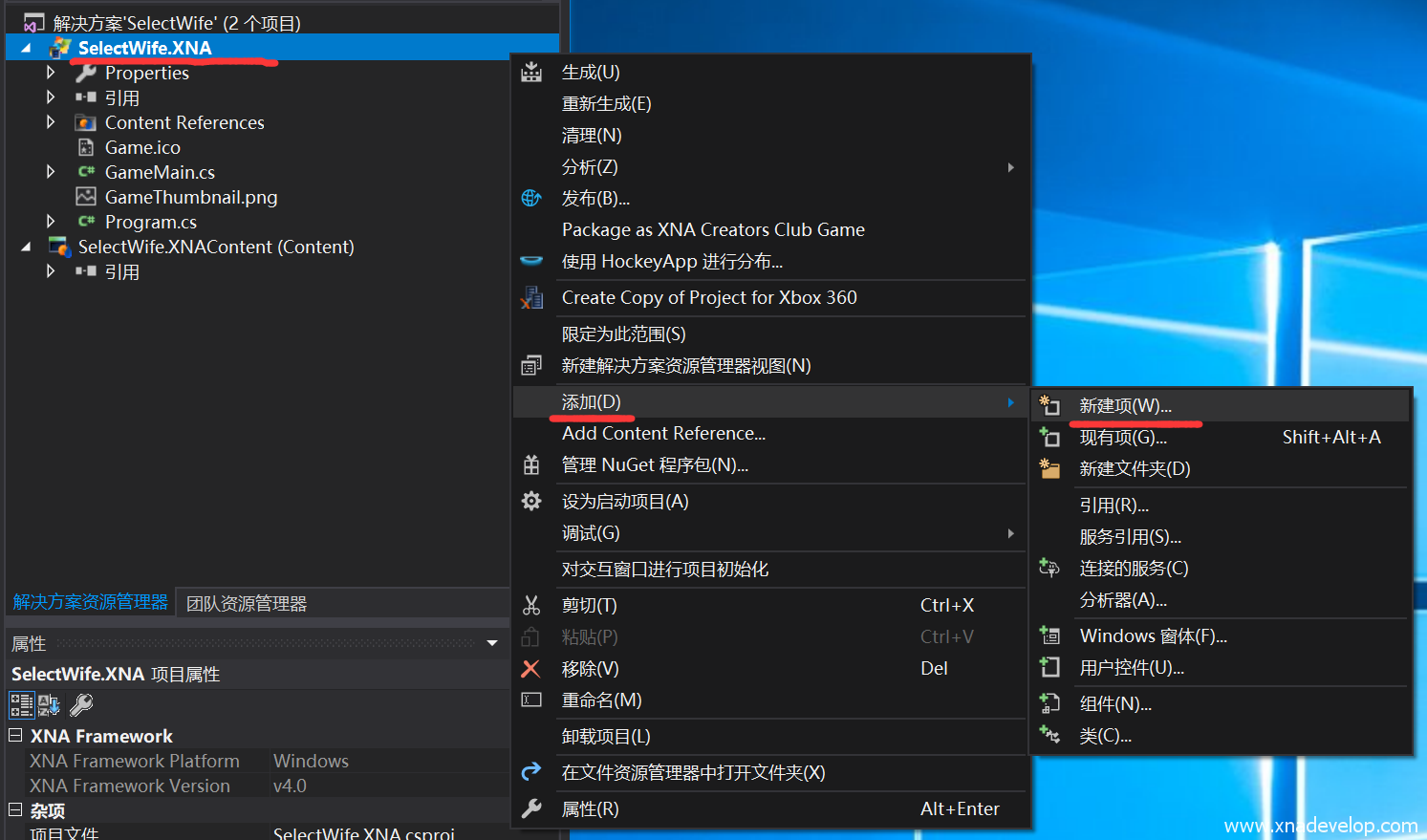
选中【SelectWife.XNA】项目,点击鼠标右键【添加】【新建项】【类】
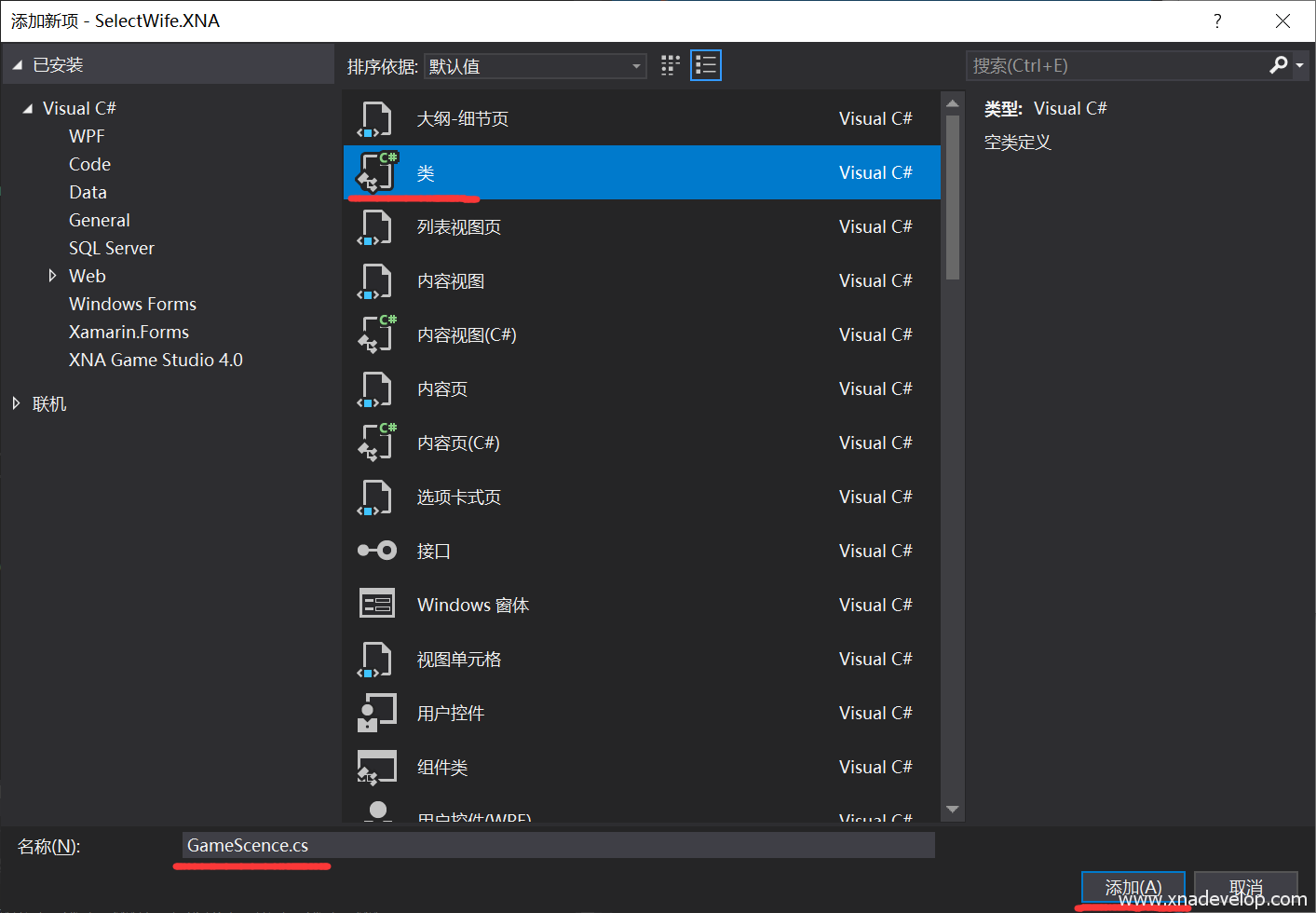
名称输入【GameScence.cs】,点击【添加】。如下图:
打开GameScence.cs文件,将文件的内容修改为:
using System;
using System.Collections.Generic;
using System.Linq;
using System.Text;

namespace SelectWife.XNA
{
    enum GameScence
    {
        MainMenu,//游戏主菜单场景
        GamePlaying,//游戏场景
        GameOver,//游戏结束场景
        About//关于场景
    }
}
定义四个基本游戏场景。
打开GameMain.cs文件,在【SpriteBatch spriteBatch;】下方定义当前场景:
//当前场景
GameScence currentScence;
找到【LoadContent()】方法,设置最初加载的场景:
 //设置当前场景为主菜单场景
currentScence = GameScence.MainMenu;
找到【Draw(GameTime gameTime)】方法,定义场景绘制方式,将整个Draw方法修改为:
 protected override void Draw(GameTime gameTime)
 {
 GraphicsDevice.Clear(Color.CornflowerBlue);

 if (currentScence==GameScence.MainMenu)
 {

 spriteBatch.Begin();
 //主菜单场景绘制界面

 spriteBatch.End();
 }
 else if(currentScence == GameScence.GamePlaying)
 {

 spriteBatch.Begin();
 //游戏场景绘制界面

 spriteBatch.End();
 }
 else if (currentScence == GameScence.GameOver)
 {

 spriteBatch.Begin();
 //游戏结束绘制界面

 spriteBatch.End();
 }
 else if (currentScence == GameScence.About)
 {

 spriteBatch.Begin();
 //关于场景绘制界面

 spriteBatch.End();
 }


 // TODO: Add your drawing code here

 base.Draw(gameTime);
 }
这时候只需要在【Update(GameTime gameTime)】方法中去修改【currentScence = GameScence.GamePlaying;】就可以修改游戏场景。这是最简单也是最容易理解的一种游戏场景切换方式,根据一个枚举类型,来绘制不同的游戏元素,来达到场景切换的效果。
游戏背景
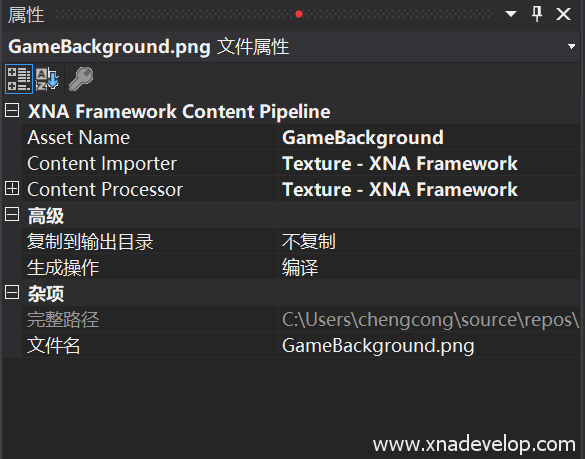
从素材中选中【GameBackground.png】,将它复制到【SelectWife.XNAContent】项目中,选中【GameBackground.png】右键属性,如下图设置:
打开GameMain.cs文件,在【GameScence currentScence;】后面定义游戏背景纹理图和位置大小变量
//游戏背景纹理
Texture2D gameBackgroundTexture2D;
//游戏背景位置和大小
Rectangle gameBackgroundRectangle;
接着在【LoadContent()】方法中加载背景图纹理和初始化背景位置和大小
//加载游戏背景图片纹理
gameBackgroundTexture2D = Content.Load<Texture2D>("GameBackground");
//游戏界面是480x800,全屏覆盖
gameBackgroundRectangle = new Rectangle(0, 0, 480, 800);
绘制游戏背景,找到【Draw(GameTime gameTime)】方法,由于游戏背景绘制在其他游戏元素的最下面一层,而且无论任何场景都一样,所以在【Draw(GameTime gameTime)】方法的【 GraphicsDevice.Clear(Color.CornflowerBlue);】后面,输入
spriteBatch.Begin();
spriteBatch.Draw(gameBackgroundTexture2D, gameBackgroundRectangle, Color.White);
spriteBatch.End();
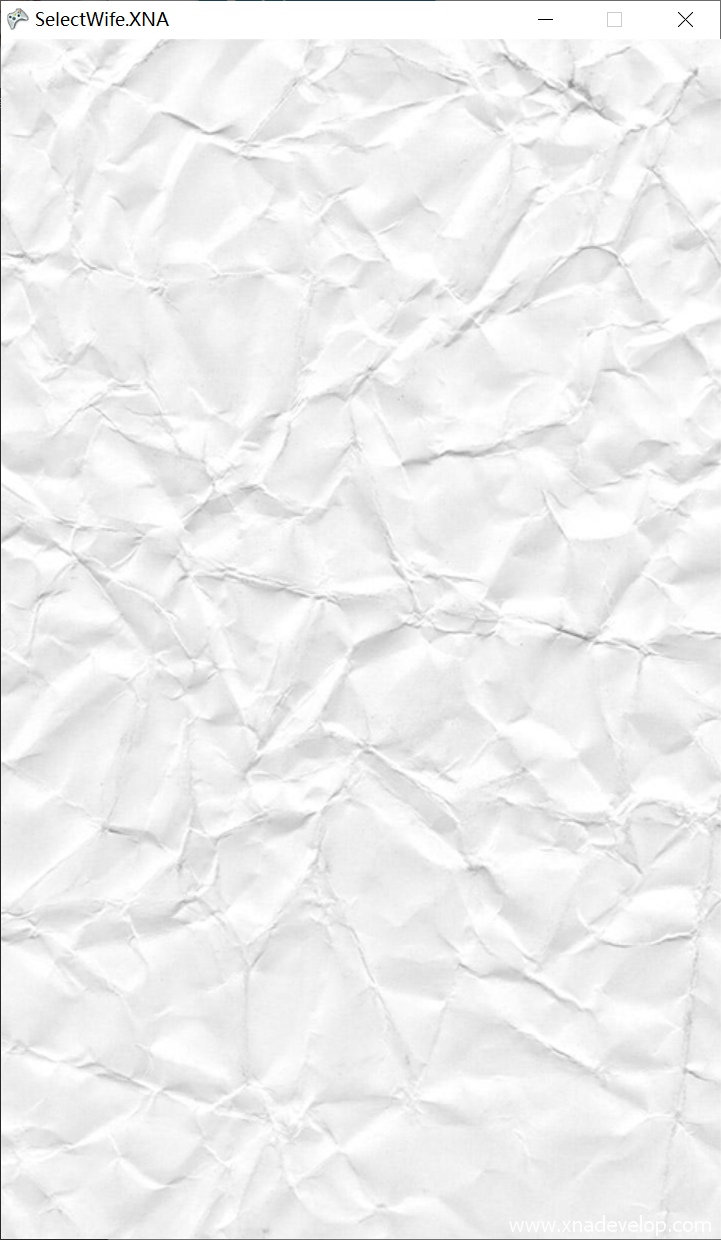
点击【启动】效果如图:
游戏标题
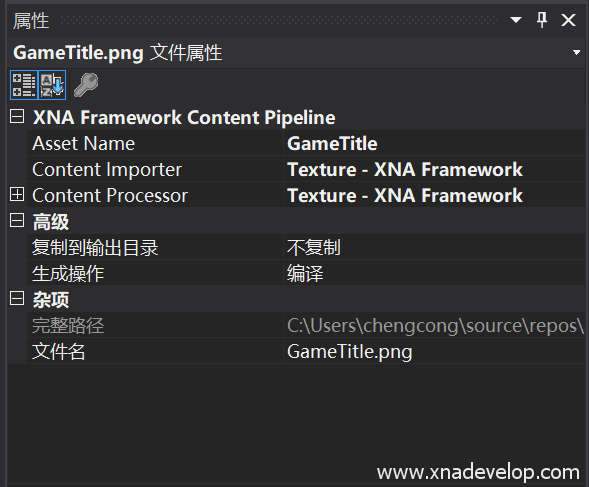
拷贝素材中的【GameTitle.png】,将它复制到【SelectWife.XNAContent】项目中,选中【GameTitle.png】右键属性,如下图设置:
打开GameMain.cs文件,定义标题的纹理和位置大小:
 //标题纹理
Texture2D gameTitleTexture2D;
//标题位置和大小
Rectangle gameTitleRectangle;
接着在【LoadContent()】方法中加载标题纹理和初始化标题位置和大小
//加载标题图片纹理
gameTitleTexture2D = Content.Load<Texture2D>("GameTitle");
//初始化标题位置和大小
gameTitleRectangle = new Rectangle((GameWidth - gameTitleTexture2D.Bounds.Width) / 2, 100, gameTitleTexture2D.Bounds.Width, gameTitleTexture2D.Bounds.Height);
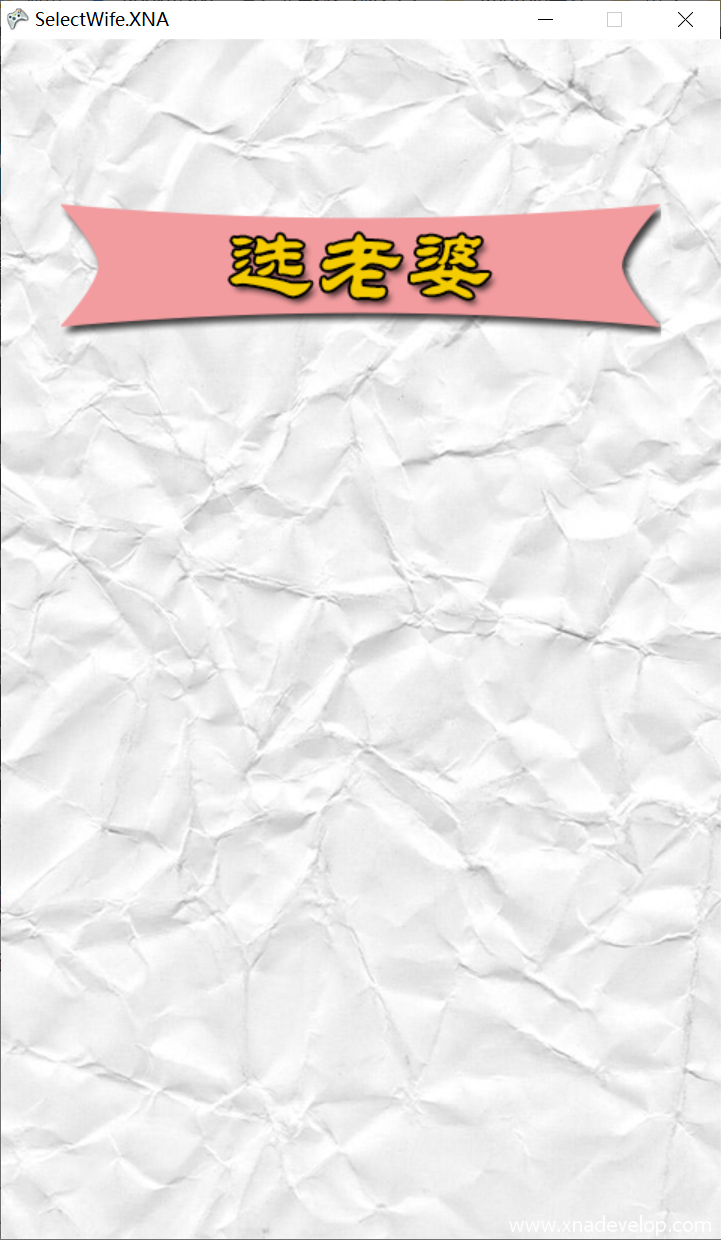
【gameTitleTexture2D.Bounds.Width】表示标题图片的实际宽度,(游戏的宽度-标题宽度)/2 就可以让标题居中显示。
绘制游戏标题,找到【Draw(GameTime gameTime)】方法,在方法体中找到【 if (currentScence==GameScence.MainMenu)】,在它的区域中找到【spriteBatch.Begin();和 spriteBatch.End();】在它们之间输入:
//主菜单场景绘制界面
spriteBatch.Draw(gameTitleTexture2D, gameTitleRectangle, Color.White);
点击【启动】,效果如下图:
游戏开始按钮
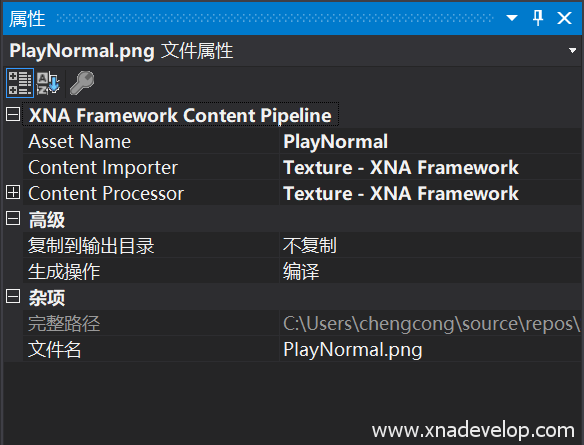
在素材中找到【PlayNormal.png】,拷贝到【SelectWife.XNAContent】中,属性设置如下图:
打开GameMain.cs文件,找到【Rectangle gameTitleRectangle;】在下面定义开始按钮的纹理和位置大小:
//定义开始按钮纹理
Texture2D playNormalTexture2D;
//定义开始按钮的位置和大小
Rectangle playNormalRectangle;
接着在【LoadContent()】方法中加载开始按钮纹理和位置大小
//加载开始那妞纹理
playNormalTexture2D = Content.Load<Texture2D>("PlayNormal");
//初始化开始按钮位置和大小
playNormalRectangle = new Rectangle((GameWidth - playNormalTexture2D.Bounds.Width) / 2, 280, playNormalTexture2D.Bounds.Width, playNormalTexture2D.Bounds.Height);
最后绘制开始按钮,找到【Draw(GameTime gameTime)】方法,在方法体中找到【 if (currentScence==GameScence.MainMenu)】,在它的区域中找到【spriteBatch.Begin();和 spriteBatch.End();】在它们之间,游戏标题绘制的下面输入:
 //绘制开始按钮
spriteBatch.Draw(playNormalTexture2D, playNormalRectangle, Color.White);
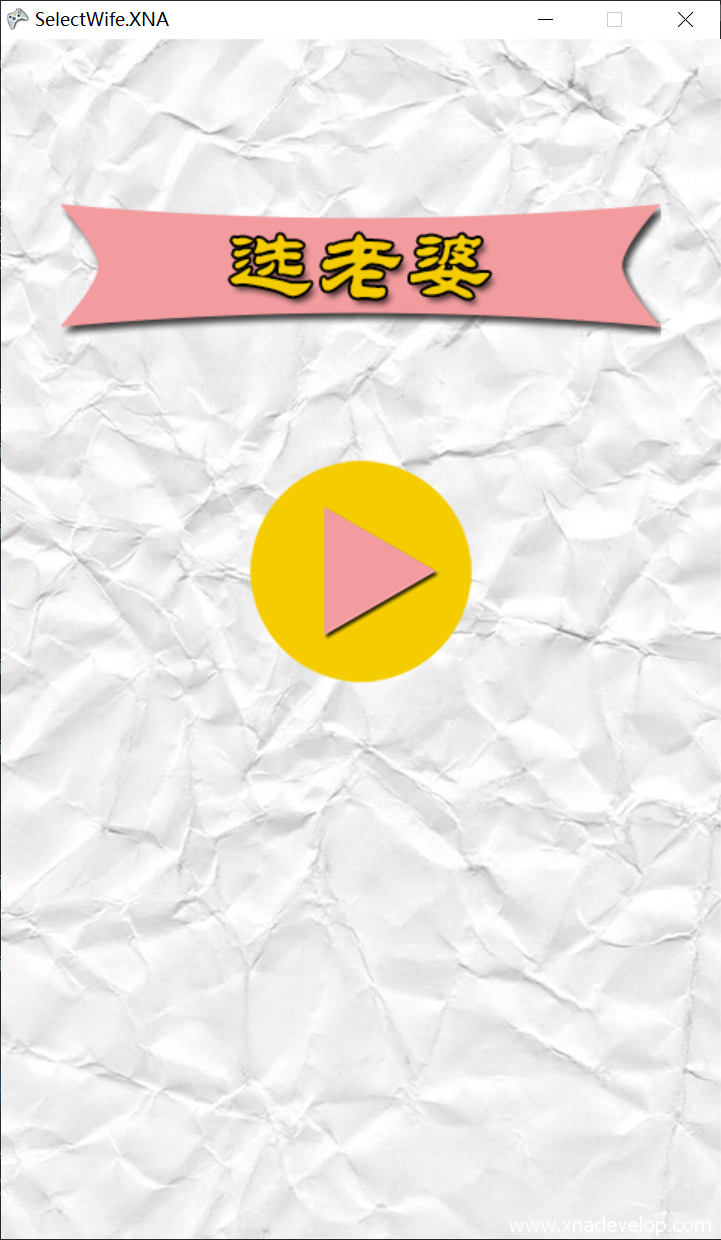
点击【启动】,效果如下图:
音效开关和关于按钮
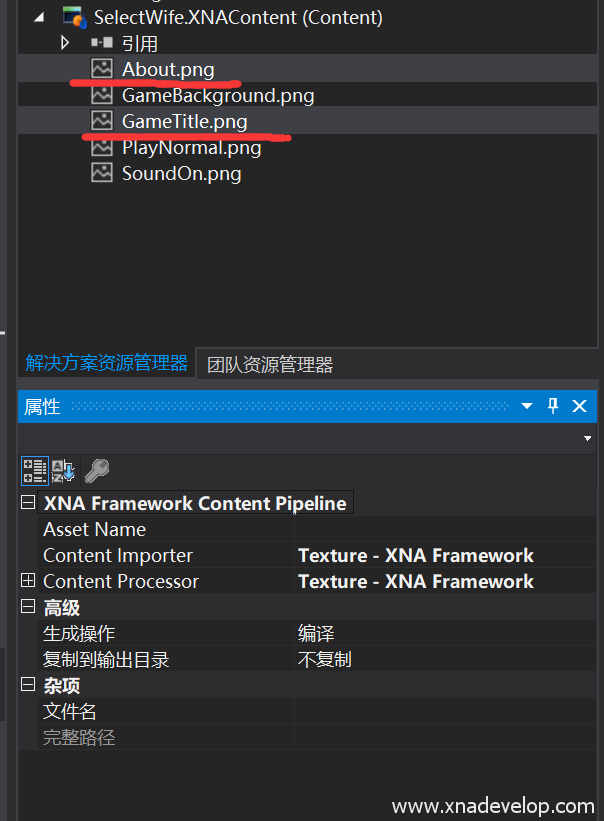
在素材中找到【SoundOn.png】和【About.png】,拷贝到【SelectWife.XNAContent】中,同时选中这两张图片,右键属性设置如下图:
打开GameMain.cs文件,找到【 Rectangle playNormalRectangle;】在下面定义声效开关和关于按钮的纹理和位置大小:
//声效开关按钮的纹理和位置
Texture2D soundOnTexture2D;
Rectangle soundOnRectangle;
//关于按钮的纹理和位置
Texture2D aboutTexture2D;
Rectangle aboutRectangle;
找到【LoadContent()】方法,加载音效开关按钮纹理和位置大小,加载关于按钮纹理和位置大小
//加载声效开关和关于按钮纹理和位置大小
            soundOnTexture2D = Content.Load<Texture2D>("SoundOn");
            soundOnRectangle = new Rectangle(100, 580, 75, 75);
            aboutTexture2D = Content.Load<Texture2D>("About");
            aboutRectangle = new Rectangle(320, 580, 75, 75);
找到【Draw(GameTime gameTime)】方法,在方法体中找到【 if (currentScence==GameScence.MainMenu)】,在它的区域中找到【spriteBatch.Begin();和 spriteBatch.End();】在它们之间,开始按钮绘制的下面输入:
//绘制声效开关和关于按钮
spriteBatch.Draw(soundOnTexture2D, soundOnRectangle, Color.White);
spriteBatch.Draw(aboutTexture2D, aboutRectangle, Color.White);
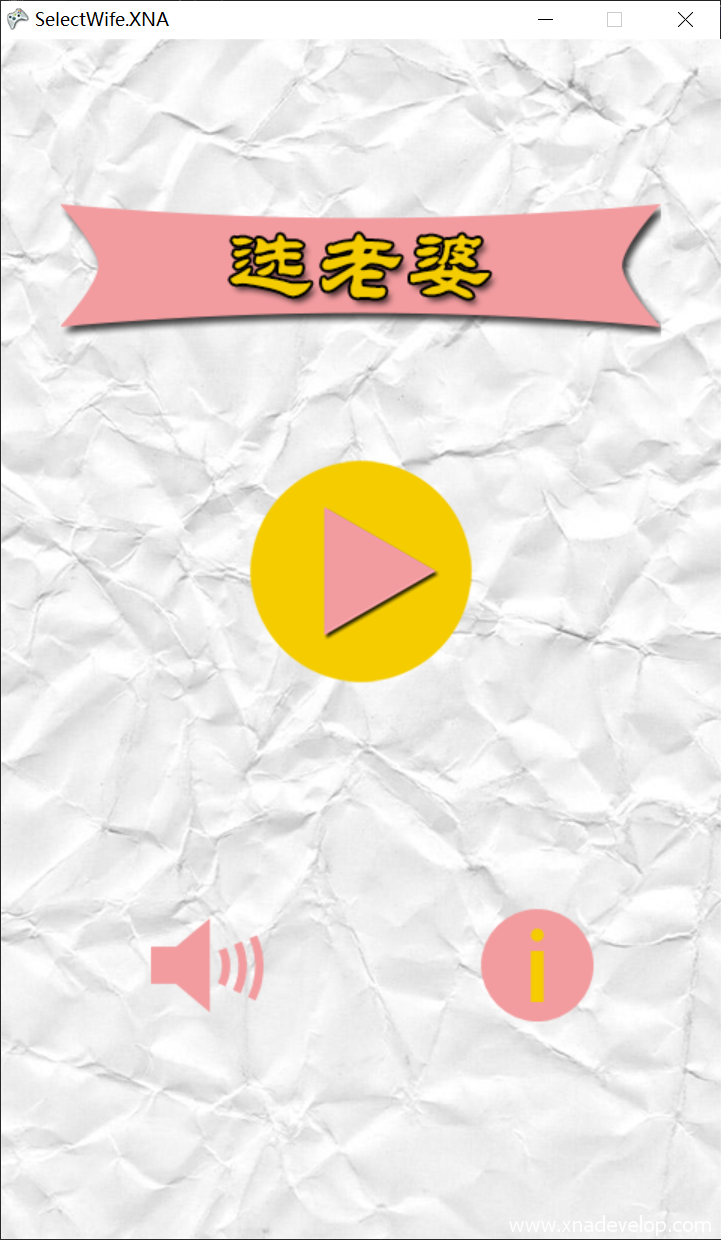
点击【启动】,效果如下图:
自定义鼠标
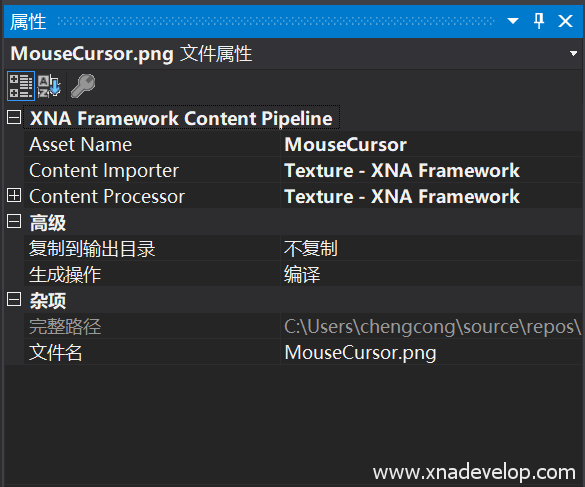
在素材中找到【MouseCursor.png】,拷贝到【SelectWife.XNAContent】中,属性设置如下图:
打开GameMain.cs文件,找到【 SpriteBatch spriteBatch;】在下面定义鼠标图片纹理和位置大小
//自定义鼠标纹理
Texture2D mouseCursorTexture2D;
//自定义鼠标位置和大小
Rectangle mouseCursorRectangle;
找到【LoadContent()】方法,在方法体内加载自定义鼠标纹理图和初始化坐标及大小
//加载鼠标纹理及坐标大小
mouseCursorTexture2D = Content.Load<Texture2D>("MouseCursor");
mouseCursorRectangle = new Rectangle(0, 0, 45, 45);
绘制鼠标,找到【Draw(GameTime gameTime)】方法,由于鼠标位于最顶层,所以在方法体的最后【base.Draw(gameTime);】之前加入
spriteBatch.Begin();
//绘制自定义鼠标
spriteBatch.Draw(mouseCursorTexture2D, mouseCursorRectangle, Color.White);
spriteBatch.End();
最后让鼠标纹理图跟随鼠标移动,找到【Update(GameTime gameTime)】方法,在方法体内输入
//获取当前鼠标状态
MouseState mouseState = Mouse.GetState();
//修改自定义鼠标位置的X,Y轴坐标为鼠标当前X,Y位置
mouseCursorRectangle.X = mouseState.X;
mouseCursorRectangle.Y = mouseState.Y;
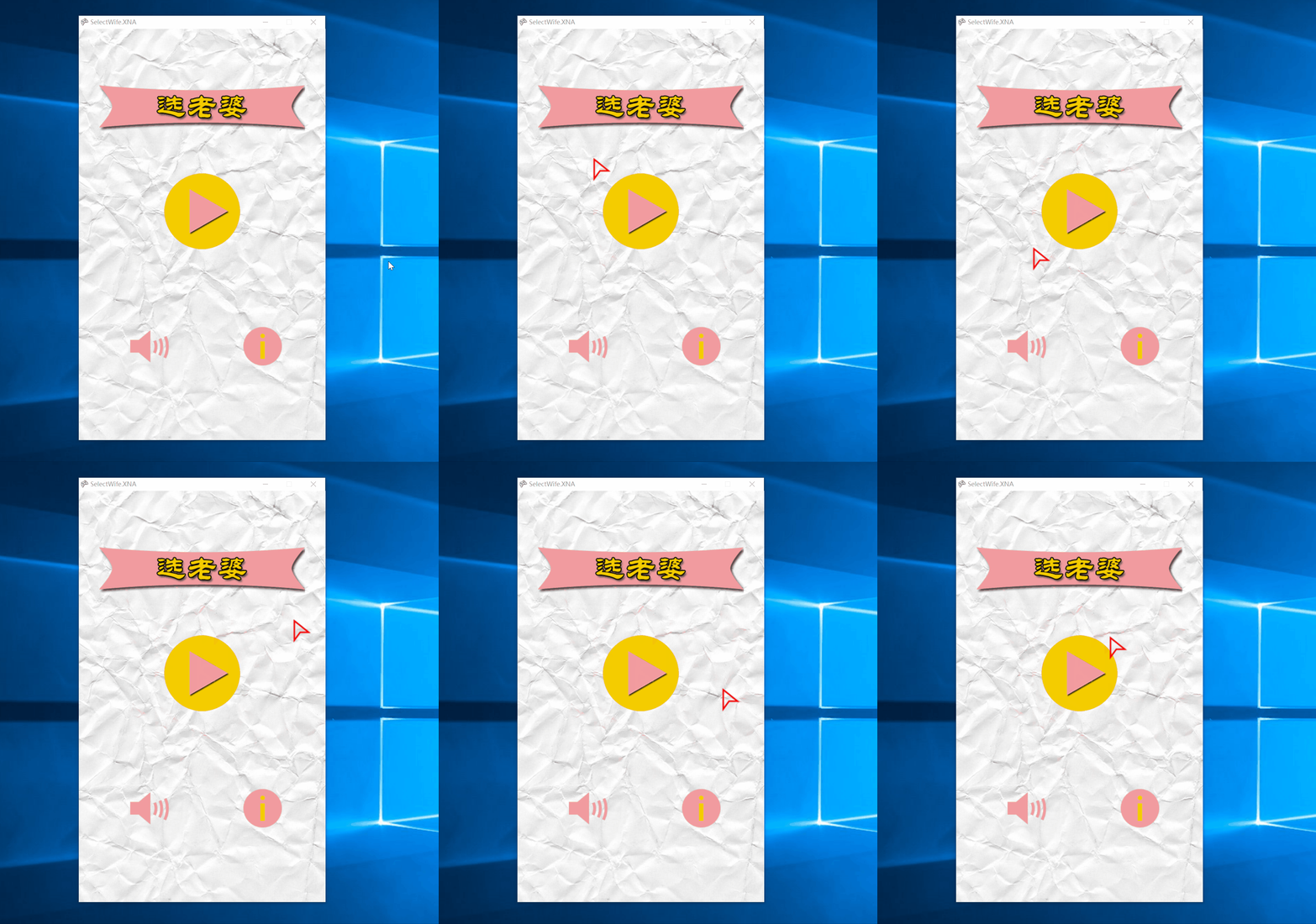
点击【启动】,运行效果如下图:
关于场景
这是最简单的功能,只需要输出一段文字即可。我们从最简单的场景开始。
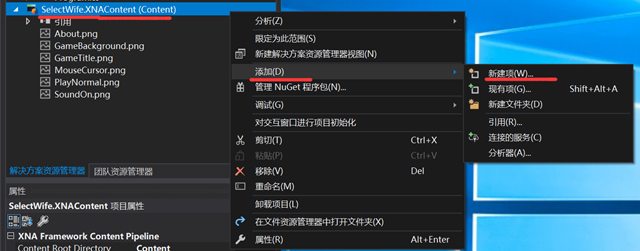
选中【SelectWife.XNAContent】项目,点击右键【添加】【新建项】
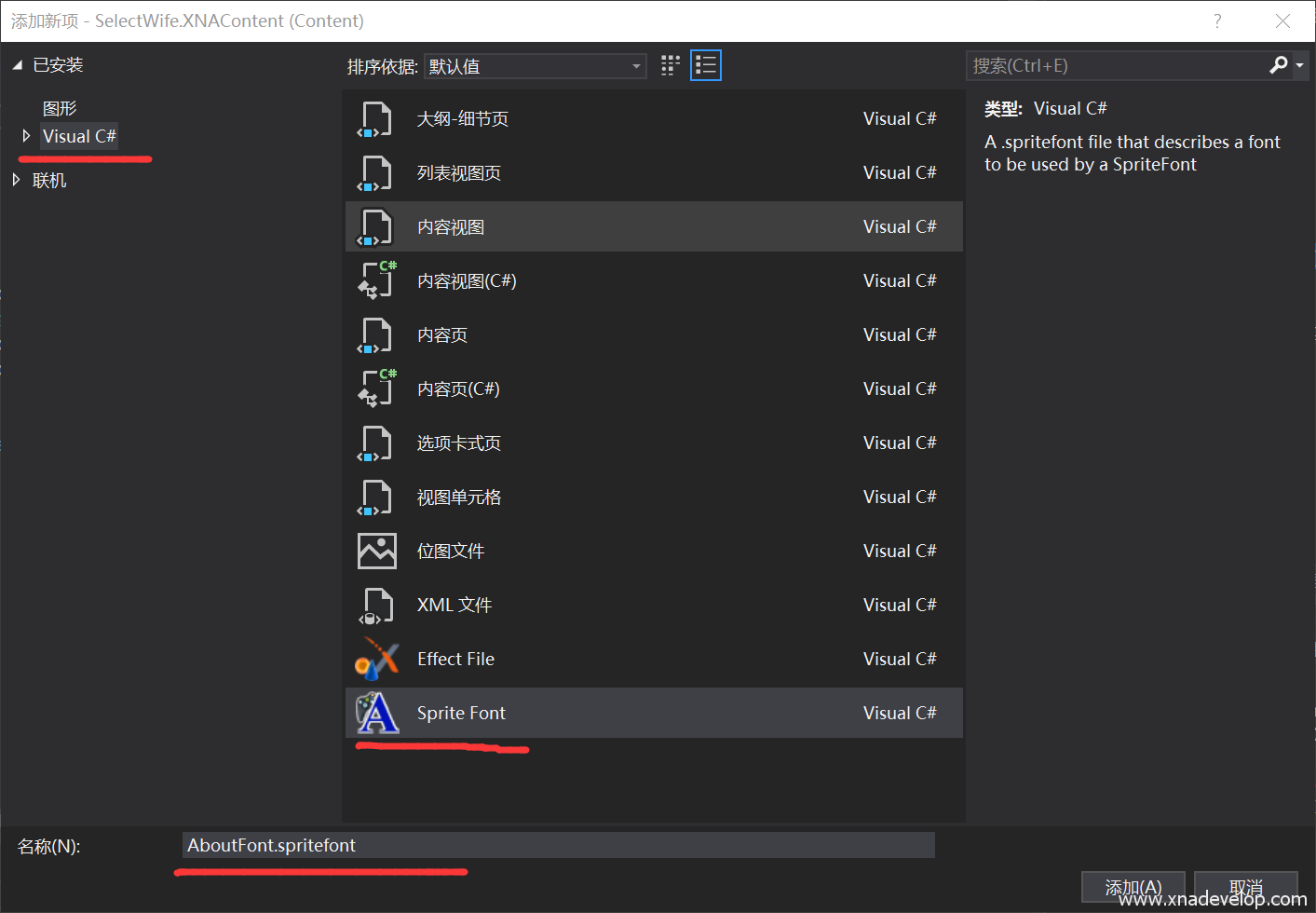
【Visual C#】选择【Sprite Font】,名称输入【AboutFont.spritefont】,点击【确定】。如下图:
双击打开AboutFont.spritefont文件,找到【<FontName>Segoe UI Mono</FontName>】改为
<FontName>华文隶书</FontName>
字体改为
<Size>18</Size>
打开MonoGame字符简化工具,将【游戏名称:选老婆\n\r作者:chengcong\n\r版权所有:www.xnadev.com】输入到文本框中,点击【转换】【复制到剪贴板】
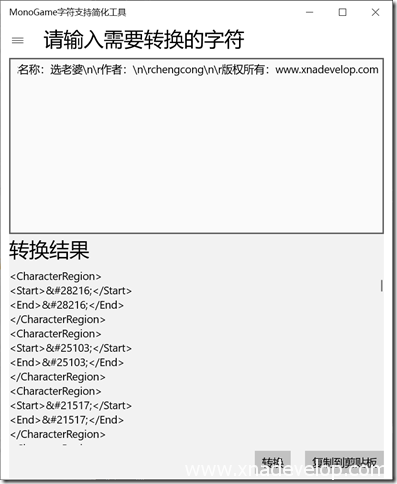
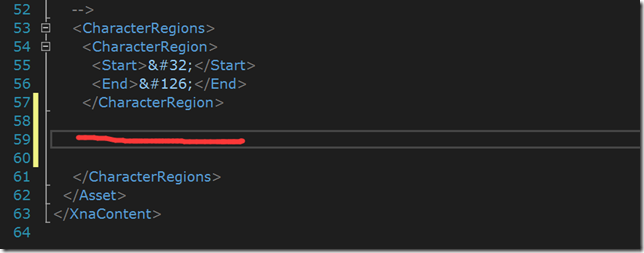
拷贝到AboutFont.spritefont文件的CharacterRegions节点中,如图红线所示位置:
打开GameMain.cs文件,定义关于场景中用到的文字和位置
//关于场景中用到的文字资源和位置以及文字内容
 SpriteFont aboutFont;
 Vector2 aboutFontPosition;
 string aboutText = "游戏名称:选老婆\n\r作者:chengcong\n\r版权所有:www.xnadev.com";
找到【ContentLoad()】方法,在方法体内加载关于场景的字体和初始化字体位置
//加载关于字体位置和大小以及内容
aboutFont = Content.Load<SpriteFont>("AboutFont");
//获取这段文字的长度及所在位置
Vector2 aboutTextVector2 = aboutFont.MeasureString(aboutText);
//让这段文字居中
aboutFontPosition = new Vector2((GameWidth -(int)aboutTextVector2.X) / 2, 300);
找到【 Draw(GameTime gameTime)】方法,在方法体内找到绘制关于场景的【 else if (currentScence == GameScence.About)】,在【spriteBatch.Begin();】和【spriteBatch.End();】之间输入:
//关于场景绘制界面
spriteBatch.DrawString(aboutFont, aboutText, aboutFontPosition, Color.Orange);
接着实现场景跳转,找到【Update(GameTime gameTime)】方法,在获取鼠标状态之后的【 mouseCursorRectangle.Y = mouseState.Y;】这行代码后面加入:
//判断当前场景是否是主菜单
if (currentScence == GameScence.MainMenu)
 {
   //判断是否点击了关于按钮
   if (mouseState.LeftButton != ButtonState.Released && aboutRectangle.Contains(mouseState.X, mouseState.Y))
   {
       //将当前场景切换关于场景
       currentScence = GameScence.About;
   }


 }
点击【启动】,效果如下图:
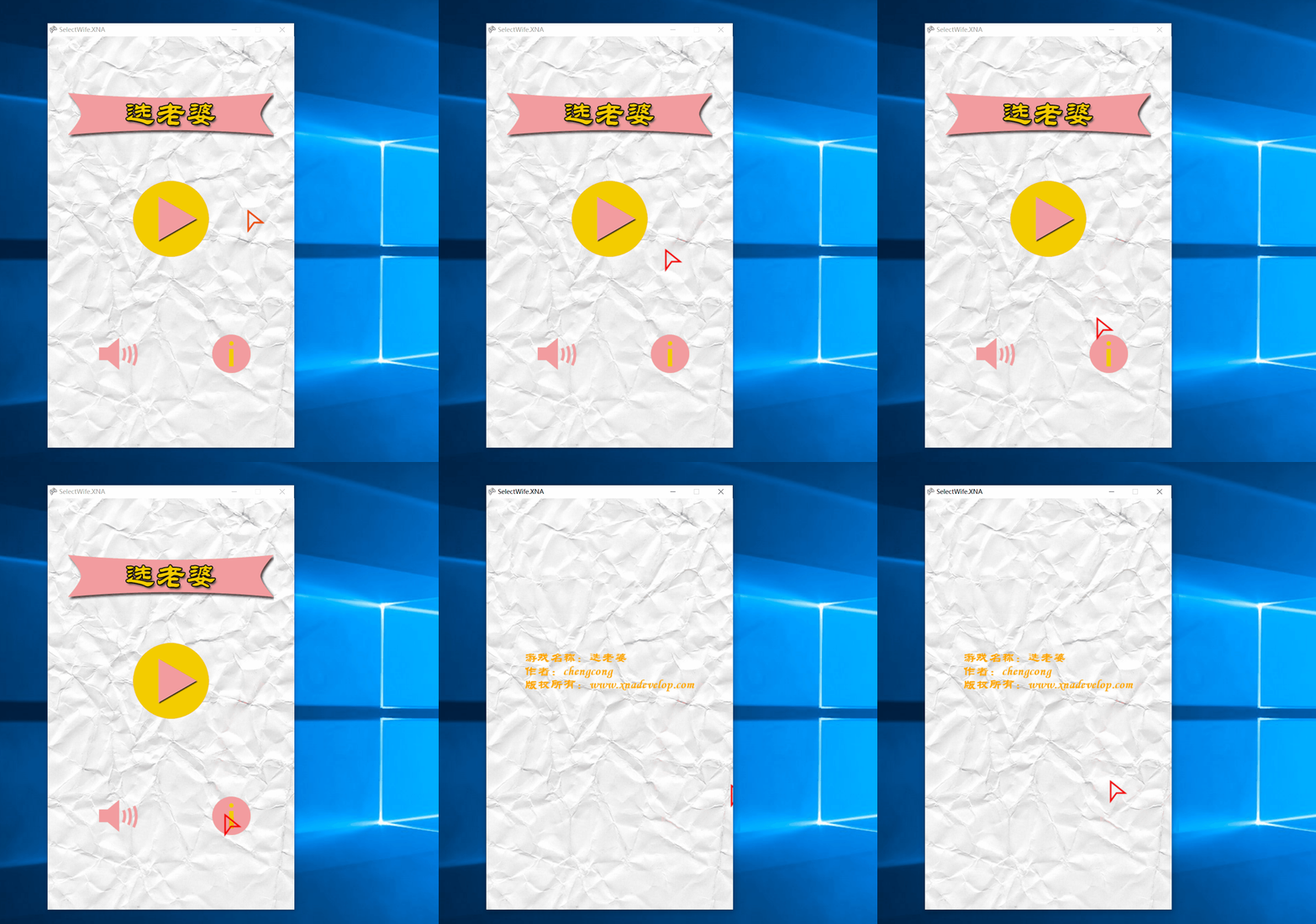
这时候你会发现场景跳转到关于页面以后没办法返回,所有这里需要添加个返回按钮来回到主菜单场景。
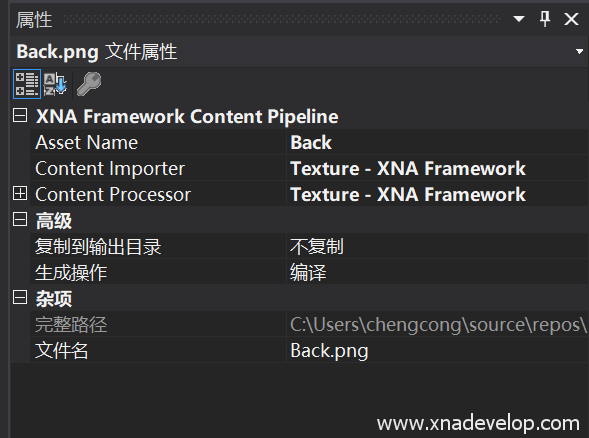
拷贝素材中的【Back.png】到【SelectWife.XNAContent】,右键属性。设置如下图:
打开GameMain.cs文件,定义返回按钮纹理图片和坐标
//定义返回按钮纹理图片和位置大小
Texture2D backTexture2D;
Rectangle backRectangle;
找到【ContentLoad()】方法,在方法体内加载返回按钮的图片纹理和位置大小:
//加载返回按钮的图片纹理和位置大小
backTexture2D = Content.Load<Texture2D>("Back");
backRectangle = new Rectangle(20, 20, 50, 50);
找到【Draw(GameTime gameTime)】方法体内的关于场景部分,在【spriteBatch.DrawString(aboutFont, aboutText, aboutFontPosition, Color.Orange);】后面输入:
//绘制返回按钮
spriteBatch.Draw(backTexture2D, backRectangle, Color.White);
来绘制返回按钮。
找到【Update(GameTime gameTime)】方法,在获取鼠标状态的代码之后,输入:
//判断当前场景是否是关于
            if (currentScence == GameScence.About)
            {
                //判断是否点击了关于按钮
                if (mouseState.LeftButton != ButtonState.Released && backRectangle.Contains(mouseState.X, mouseState.Y))
                {
                    //将当前场景切换到主菜单
                    currentScence = GameScence.MainMenu;
                }
            }
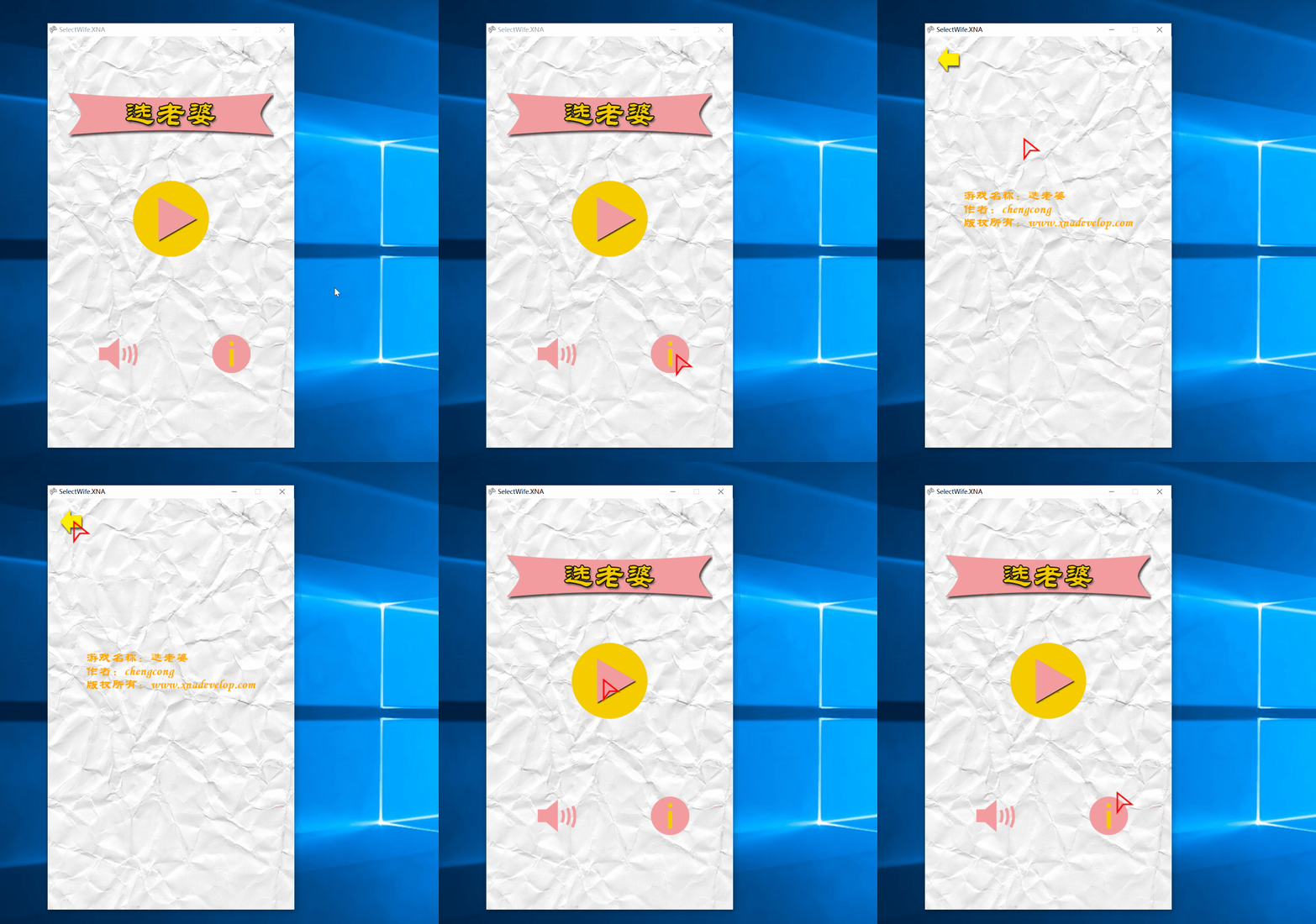
实现点击返回按钮,退回主菜单场景的功能
点击【启动】,效果如下图:
音乐和音效
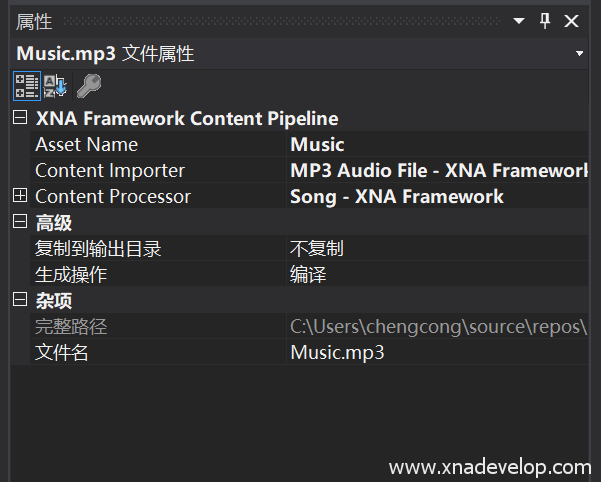
将素材中的【Music.mp3】和【Click.mp3】拷贝到【SelectWife.XNAContent】项目中,【Music.mp3】右键属性设置如下图:
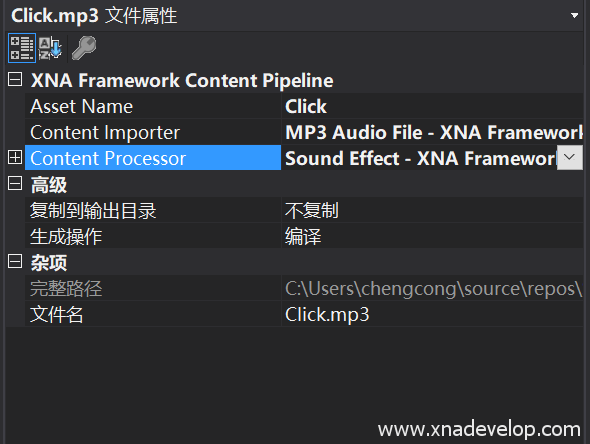
【Click.mp3】右键属性设置如下图:
打开GameMain.cs文件,定义背景音乐和音效:
//背景音乐
Song music;
//按钮音效
SoundEffect click;
//音效音乐是否关闭
bool isMuted;
找到【LoadContent()】方法,在方法体内加载背景音乐和按钮音效并播放:
//加载背景音乐和按钮音效
 music = Content.Load<Song>("Music");
 click = Content.Load<SoundEffect>("Click");
 //默认设置为不静音
 isMuted = false;
 //播放背景音乐
 MediaPlayer.Play(music);
 //设置背景音乐的大小
 MediaPlayer.Volume = 0.1f;
 MediaPlayer.IsRepeating = true;//重复播放背景音乐
找到【Update(GameTime gameTime)】方法,在【 if (currentScence == GameScence.MainMenu)】中括号内输入:
//判断是否点击关闭音效音乐按钮
if (mouseState.LeftButton != ButtonState.Released && soundOnRectangle.Contains(mouseState.X, mouseState.Y))
{
    isMuted =! isMuted;
    MediaPlayer.IsMuted = isMuted;
}
点击【启动】,这时候你会发现虽然点击了关闭音效音乐按钮后确实停止了背景音乐,但按钮的图案还是打开状态,所以这里需要对原来的代码做出修改。
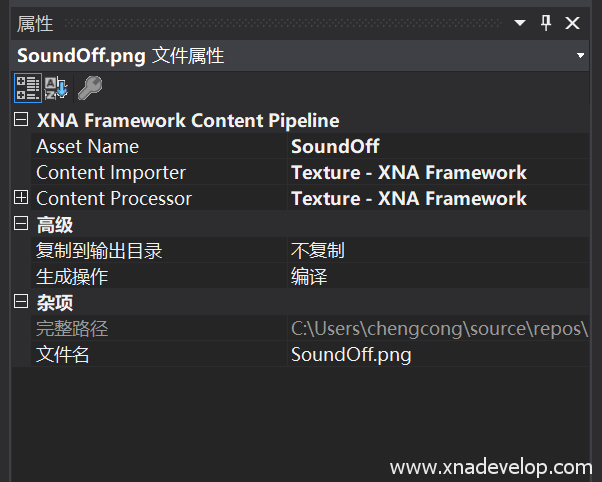
在素材中找到【SoundOff.png】将它拷贝到【SelectWife.XNAContent】项目中,属性如下图设置:
找到【定义声效开关按钮的纹理和位置】的地方,新增一个静音状态的纹理定义
//静音按钮的纹理
Texture2D soundOffTexture2D;
找到【ContentLoad()】方法,加载静音按钮纹理:
//加载静音纹理
soundOffTexture2D = Content.Load<Texture2D>("SoundOff");
找到【Draw(GameTime gameTime)】方法,在方法体内找到主菜单场景的部分【 if (currentScence == GameScence.MainMenu)】在里面找到绘制音效按钮的部分,将【spriteBatch.Draw(soundOnTexture2D, soundOnRectangle, Color.White);】改为:
//绘制声效开关和关于按钮
if (isMuted)
{
    //静音
    spriteBatch.Draw(soundOffTexture2D, soundOnRectangle, Color.White);
}
else
{
    spriteBatch.Draw(soundOnTexture2D, soundOnRectangle, Color.White);
}
点击【启动】,效果如下图:

游戏场景
打开GameMain.cs文件,找到【Update(GameTime gameTime)】方法,找到【if (currentScence == GameScence.MainMenu)】,在其内部加入跳转到游戏场景的代码:
//判断是否点击了开始游戏按钮
if (mouseState.LeftButton != ButtonState.Released && playNormalRectangle.Contains(mouseState.X, mouseState.Y))
{
    //跳转到游戏场景
    currentScence = GameScence.GamePlaying;
}
点击【启动】,效果如下图:
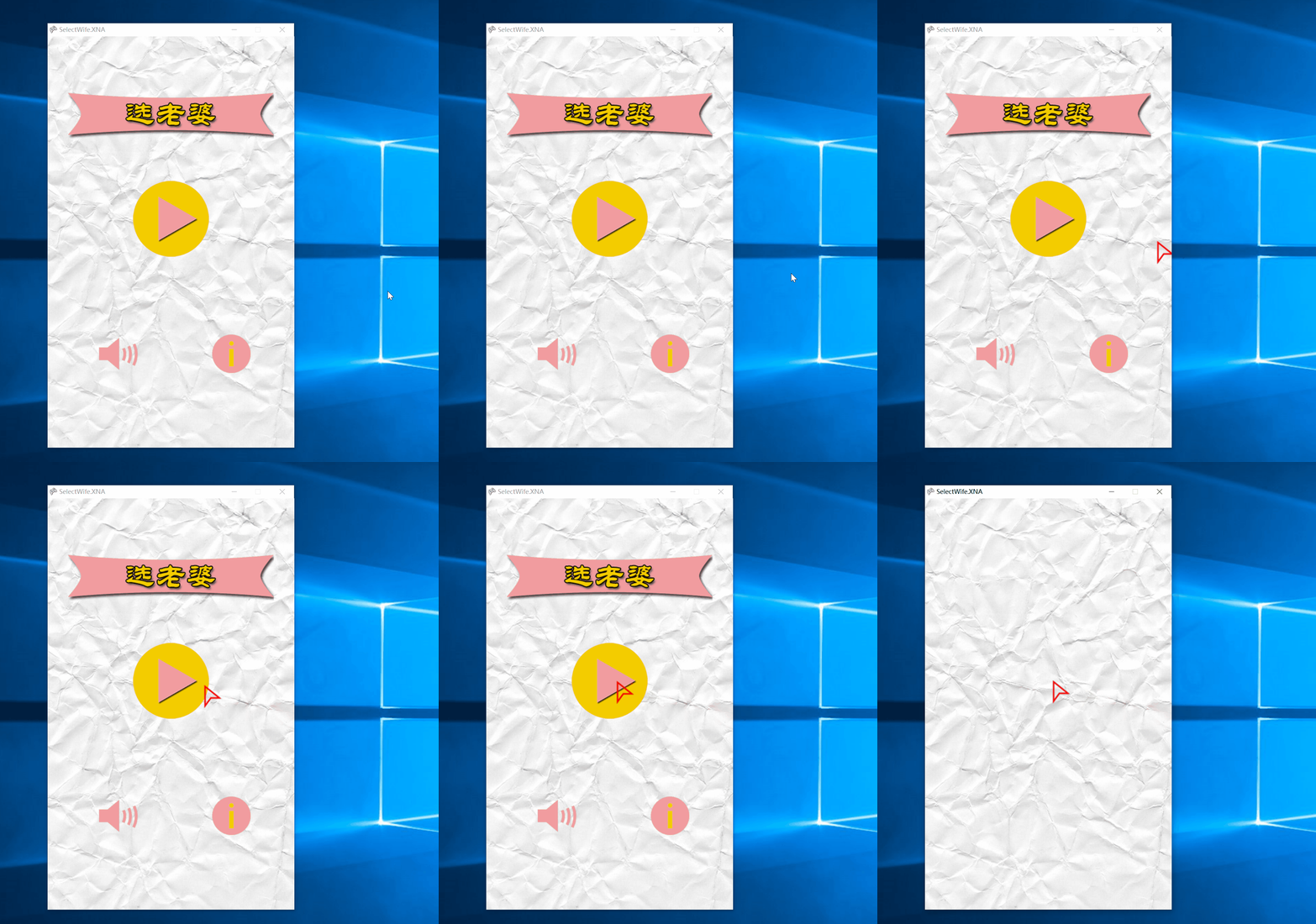
这时候你会发现游戏场景缺少一个返回按钮返回到主菜单场景,所以需要添加返回按钮。
找到【Draw(GameTime gameTime)】方法中的【else if (currentScence == GameScence.GamePlaying)】,在 【 spriteBatch.Begin();】和【spriteBatch.End();】加入
//绘制返回按钮
spriteBatch.Draw(backTexture2D, backRectangle, Color.White);
找到【Update(GameTime gameTime)】方法,在鼠标状态代码后面,加入
//判断当前场景是否是游戏场景
if (currentScence == GameScence.GamePlaying)
{
    //判断是否点击了关于按钮
    if (mouseState.LeftButton != ButtonState.Released && backRectangle.Contains(mouseState.X, mouseState.Y))
    {
        //将当前场景切换到主菜单
        currentScence = GameScence.MainMenu;
    }
}
点击【启动】,效果如下图:

从素材中拷贝【Wife1.png到Wife11.png】到【SelectWife.XNAContent】 项目中,选中这11个图片,属性如下图设置:
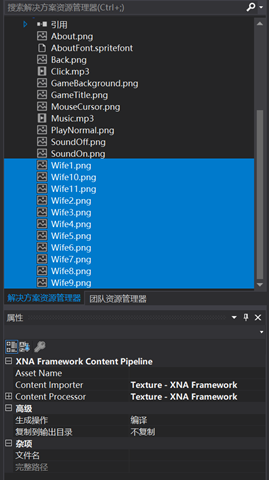
打开GameMain.cs文件,定义一个图片纹理列表和当前图片的索引
 List<Texture2D> wifeTextureList;//定义图片列表
 Rectangle wifeListRectangle;//图片位置和大小  int currentFrame = 0;// 当前图片索引,来显示当前显示的老婆,默认是第一张
在【LoadContent()】方法中用一个循环来加载11张图片,并定义位置
//加载图片列表
wifeTextureList = new List<Texture2D>();
for (int i = 1; i < 12; i++)
{
    Texture2D wifeTexture= Content.Load<Texture2D>("Wife" + i);

    wifeTextureList.Add(wifeTexture);
}
//定义图片列表位置
wifeListRectangle = new Rectangle((GameWidth - 295) / 2, 100, 295, 221);
找到【Update(GameTime gameTime)】方法中的绘制游戏场景的【 else if (currentScence == GameScence.GamePlaying)】代码,在里面加入
 //显示老婆图象
spriteBatch.Draw(wifeTextureList[currentFrame], wifeListRectangle, Color.White);
点击【启动】,这时候显示的只是第一张。
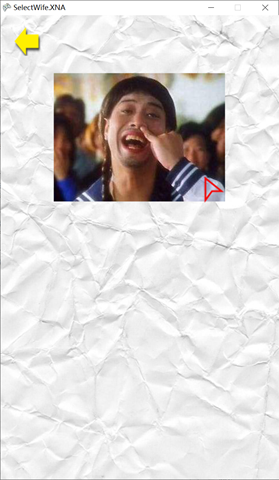
接着让图片动起来,在GameMain.cs文件中定义:
int timeLastFrame = 0;//每次切换图片后经过的时间
int timePerFame = 100;//每100毫秒切换一次,默认是16.666毫秒切换一次,即画面刷新率每秒60帧
找到【Update(GameTime gameTime)】方法里的【if (currentScence == GameScence.GamePlaying)】输入:
timeLastFrame = timeLastFrame + gameTime.ElapsedGameTime.Milliseconds;//图片切换后经过的时间(毫秒)
if (timeLastFrame > timePerFame)
{
    timeLastFrame = timeLastFrame - timePerFame;//将图片切换后经过的时间恢复到小于每秒切换时间,保证下面代码执行一次
    if (currentFrame >= wifeTextureList.Count - 1)
    {
        currentFrame = 0;
    }
    else
    {
        currentFrame += 1;
    }
}
点击【启动】,可以看到老婆们已经蠢蠢欲动了!如下图:
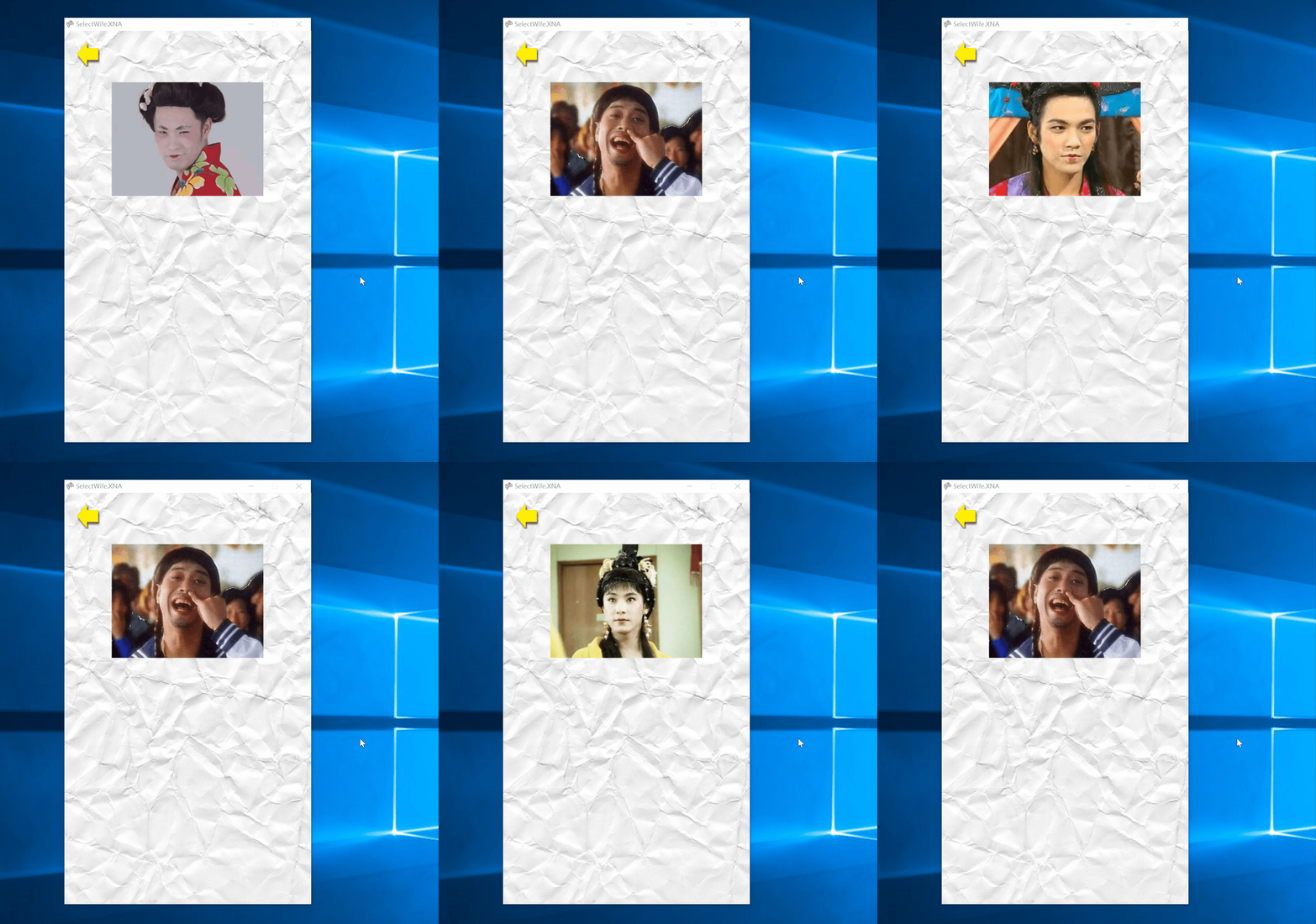
修改timePerFame 的值就可以加快图片,越小越快!当然如果设置成16.6以下,是感觉不出来的,超过了每秒60张
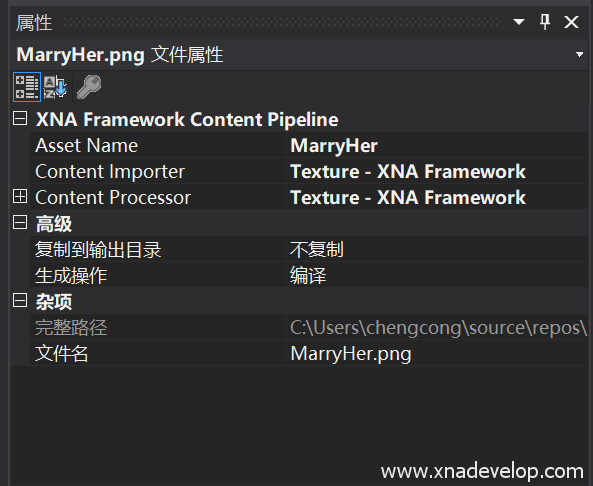
在素材中找到【MarryHer.png】,复制到【SelectWife.XNAContent】中,属性设置如下:
打开GameMain.cs文件,定义选老婆按钮图片的纹理和位置大小:
//选老婆按钮的纹理和位置大小
Texture2D marryHerTexture2D;
Rectangle marryHerRectangle;
在【LoadContent()】加载选老婆按钮和初始化位置大小:
 //加载选老婆按钮和初始化位置大小
marryHerTexture2D = Content.Load<Texture2D>("MarryHer");
marryHerRectangle = new Rectangle((GameWidth - marryHerTexture2D.Bounds.Width) / 2, 300, marryHerTexture2D.Bounds.Width, marryHerTexture2D.Bounds.Height);
找到【Draw(GameTime gameTime)】方法中的【else if (currentScence == GameScence.GamePlaying)】,在【spriteBatch.Begin();】和【spriteBatch.End();】之间输入:
 //绘制选老婆按钮
spriteBatch.Draw(marryHerTexture2D, marryHerRectangle, Color.White);
点击【启动】,先看看效果。如下图:

下面来实现选老婆的效果。
首先定义一个开关,来停止图片切换,打开GameMain.cs文件,输入:
 //切换老婆开关
bool starting = false;
找到【Update(GameTime gameTime)】方法中的【 timeLastFrame = timeLastFrame + gameTime.ElapsedGameTime.Milliseconds;】在外层加入一个判断,如下代码:
if (starting)
                {
                    timeLastFrame = timeLastFrame + gameTime.ElapsedGameTime.Milliseconds;//图片切换后经过的时间(毫秒)
                    if (timeLastFrame > timePerFame)
                    {
                        timeLastFrame = timeLastFrame - timePerFame;//将图片切换后经过的时间恢复到小于每秒切换时间,保证下面代码执行一次
                        if (currentFrame >= wifeTextureList.Count - 1)
                        {
                            currentFrame = 0;
                        }
                        else
                        {
                            currentFrame += 1;
                        }
                    }
                }
找到【Update(GameTime gameTime)】方法中的【if (mouseState.LeftButton != ButtonState.Released && playNormalRectangle.Contains(mouseState.X, mouseState.Y))】,在内部加入:
starting = true;
找到【Update(GameTime gameTime)】方法中的【 if (currentScence == GameScence.GamePlaying)】,在里面加入:
//判断是否点击了选老婆按钮
if (mouseState.LeftButton != ButtonState.Released && marryHerRectangle.Contains(mouseState.X, mouseState.Y))
{
    //停止切换图片
   starting = false;

}
点击【启动】,这时候你会看到点击开始按钮进入游戏后,图片就直接停止了,这是因为update方法是一个不停执行的过程,速度过快直接导致主菜单【开始】按钮的点击鼠标传递到了游戏场景中的【选老婆】按钮。
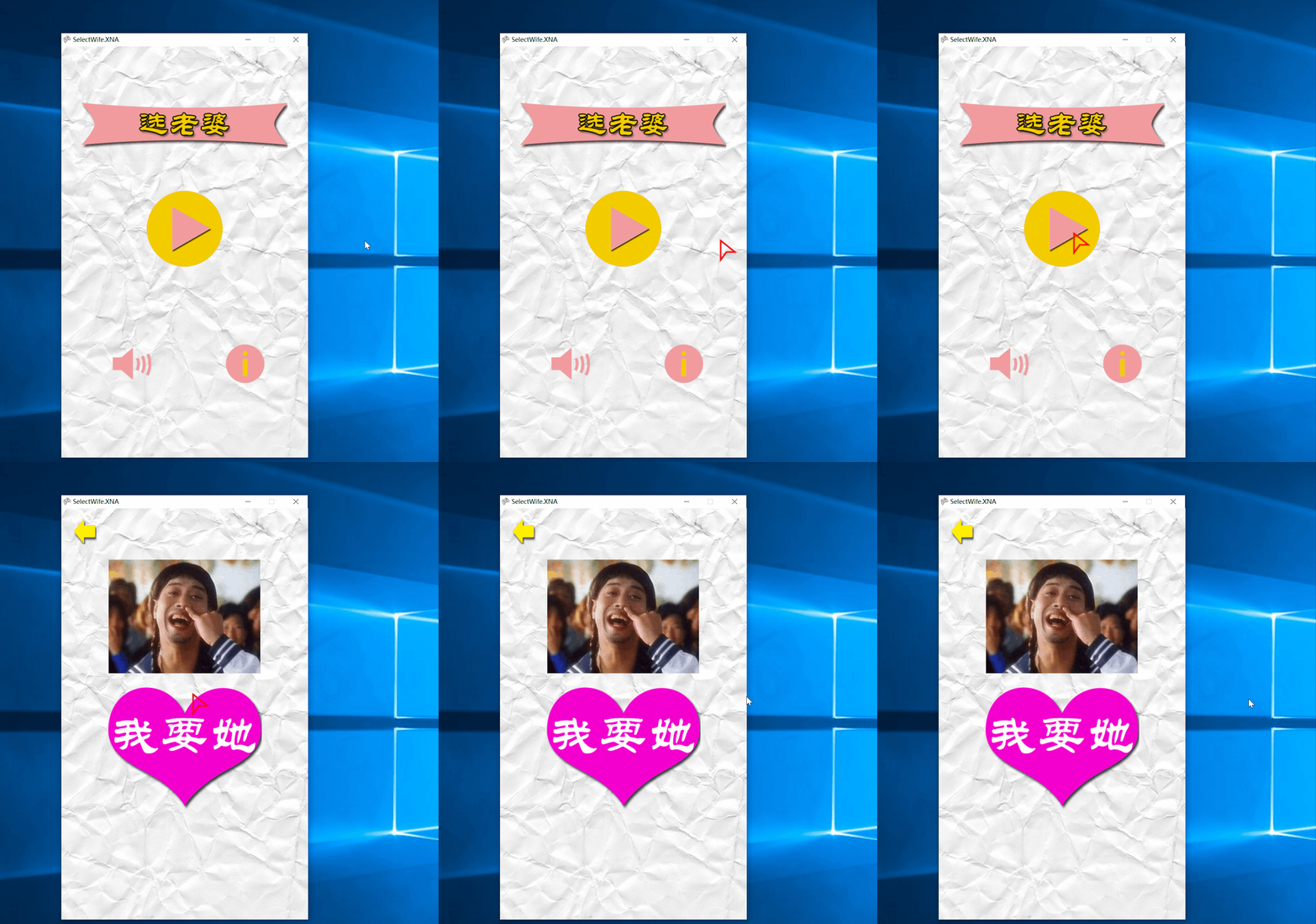
处理方法:打开GameMain.cs文件,在全局位置定义一个鼠标状态:
//之前点击的鼠标状态
MouseState prevMouseState;
找到【Update(GameTime gameTime)】方法,在最后【base.Update(gameTime);】之前输入:
//鼠标状态赋值给前鼠标状态
prevMouseState = mouseState;
然后找到【 if ( mouseState.LeftButton != ButtonState.Released && marryHerRectangle.Contains(mouseState.X, mouseState.Y))】修改为
if (mouseState!=prevMouseState&& mouseState.LeftButton != ButtonState.Released && marryHerRectangle.Contains(mouseState.X, mouseState.Y))
即
//判断是否点击了选老婆按钮
if (mouseState!=prevMouseState&& mouseState.LeftButton != ButtonState.Released && marryHerRectangle.Contains(mouseState.X, mouseState.Y))
{
    //停止切换图片
   starting = false;

}
点击【启动】,运行效果如下图:

点击【选老婆】按钮后,需要跳转到游戏结束的场景,在【Update(GameTime gameTime)】方法中找到【 if (mouseState!=prevMouseState&& mouseState.LeftButton != ButtonState.Released && marryHerRectangle.Contains(mouseState.X, mouseState.Y))】在里面加入
//切换到游戏结束页面
currentScence = GameScence.GameOver;
效果如下图:
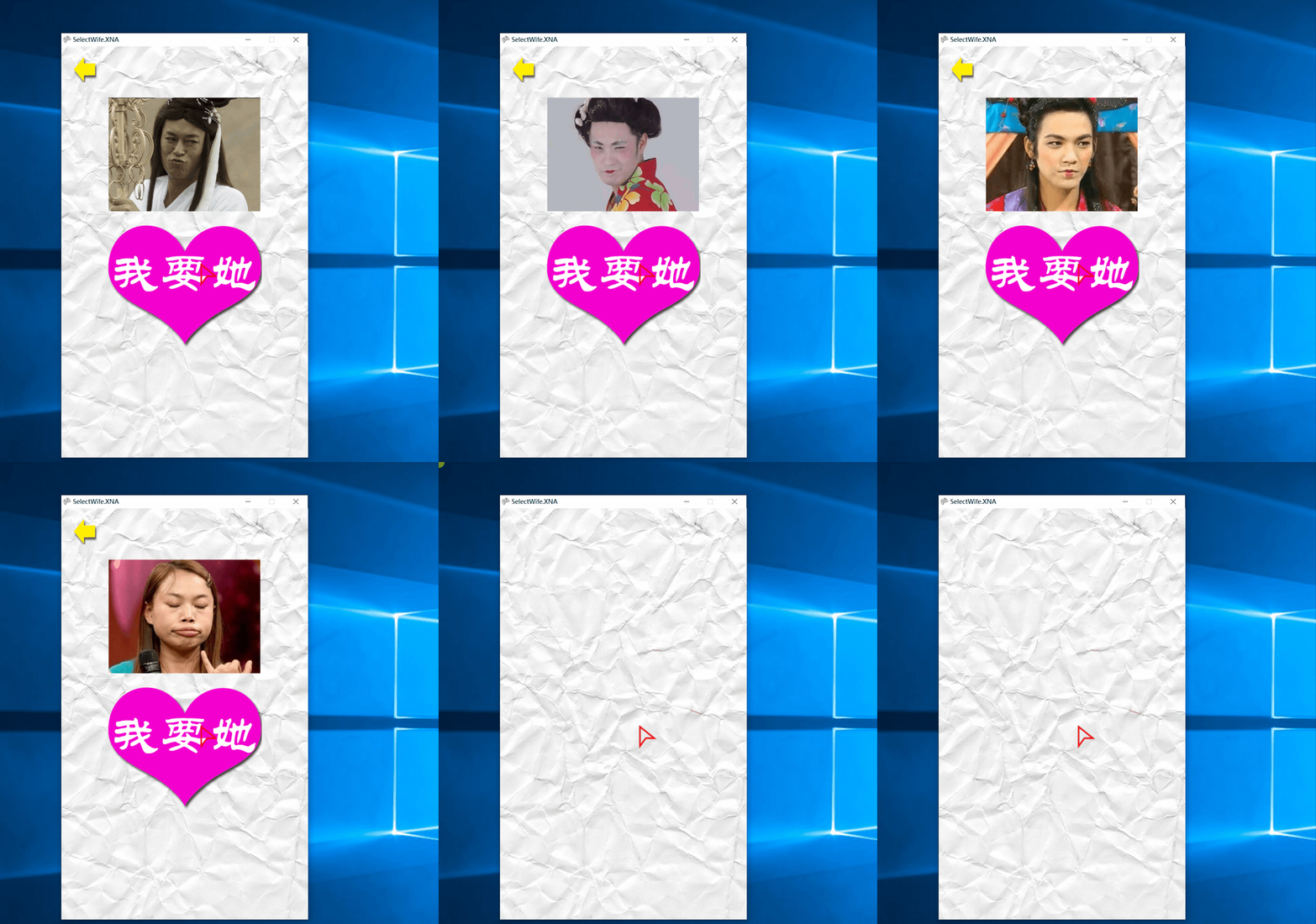
游戏结束
从素材中拷贝【DoubleHappiness.png】【MainMenu.png】【Divorce.png】到【SelectWife.XNAContent】项目中,同时选中三个文件,右键属性。设置如下图:
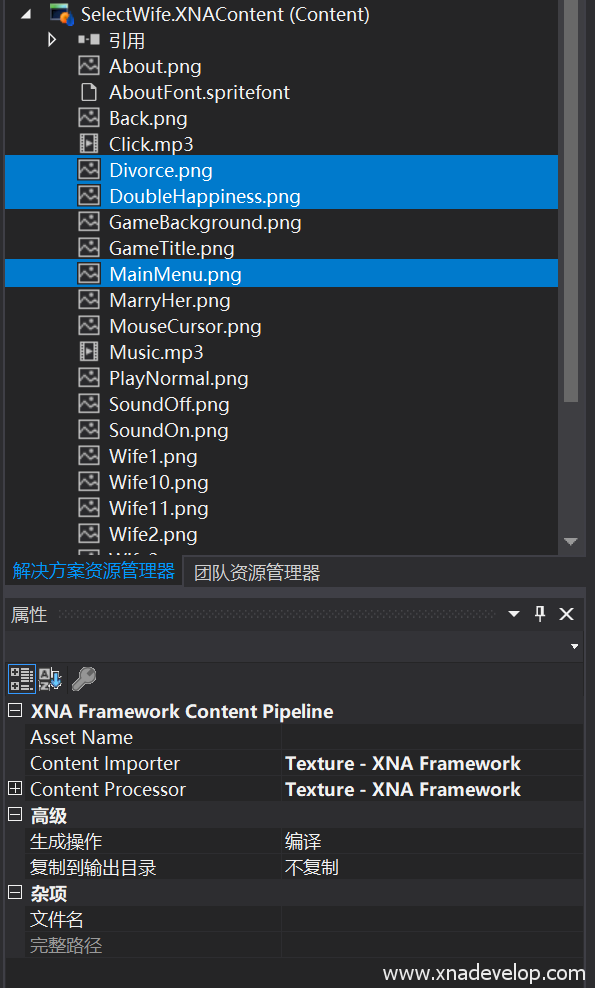
打开GameMain.cs文件,定义双喜图片、主菜单按钮、离婚按钮的图片纹理和位置大小:
//双喜图片纹理和位置大小
Texture2D doubleHappinessTexture2D;
Rectangle doubleHappinessRectangle;
//离婚按钮图片纹理和位置大小
Texture2D divorceTexture2D;
Rectangle divorceRectangle;
//主菜单按钮图片纹理和位置大小
Texture2D mainMenuTexture2D;
Rectangle mainMenuRectangle;
在【ContentLoad()】方法中加载这些图片纹理和位置大小:
//加载双喜图片纹理和初始化位置大小
 doubleHappinessTexture2D= Content.Load<Texture2D>("DoubleHappiness");
 doubleHappinessRectangle = new Rectangle((GameWidth - doubleHappinessTexture2D.Bounds.Width) / 2, 330, doubleHappinessTexture2D.Bounds.Width,   doubleHappinessTexture2D.Bounds.Height);

 //加载离婚图片纹理和初始化位置大小
 divorceTexture2D = Content.Load<Texture2D>("Divorce");
 divorceRectangle= new Rectangle(50, 640, divorceTexture2D.Bounds.Width, divorceTexture2D.Bounds.Height);
 //加载主菜单图片纹理和初始化位置大小
 mainMenuTexture2D = Content.Load<Texture2D>("MainMenu");
 mainMenuRectangle= new Rectangle(280, 640, mainMenuTexture2D.Bounds.Width, mainMenuTexture2D.Bounds.Height);
在【Draw(GameTime gameTime)】方法中找到【else if (currentScence == GameScence.GameOver)】,在【spriteBatch.Begin();】和【spriteBatch.End();】加入:
//绘制返回按钮
spriteBatch.Draw(backTexture2D, backRectangle, Color.White);

//绘制老婆图象
spriteBatch.Draw(wifeTextureList[currentFrame], wifeListRectangle, Color.White);

//绘制选老婆按钮
spriteBatch.Draw(marryHerTexture2D, marryHerRectangle, Color.White);
下面实现【离婚】按钮,其实就是重新选老婆返回到游戏页面。【主菜单】按钮就是返回主菜单
找到【Update(GameTime gameTime)】方法,在里面加入
else if (currentScence == GameScence.GameOver)
            {

                //判断是否点击了离婚
                if (mouseState != prevMouseState && mouseState.LeftButton != ButtonState.Released && divorceRectangle.Contains(mouseState.X, mouseState.Y))
                {
                    //停止切换图片
                    starting = true;
                    //切换到游戏页面
                    currentScence = GameScence.GamePlaying;
                }
                //判断是否点击了主菜单
                if (mouseState != prevMouseState && mouseState.LeftButton != ButtonState.Released && mainMenuRectangle.Contains(mouseState.X, mouseState.Y))
                {
                    //切换到游戏页面
                    currentScence = GameScence.MainMenu;
                }

            }
点击【启动】,效果如下图:
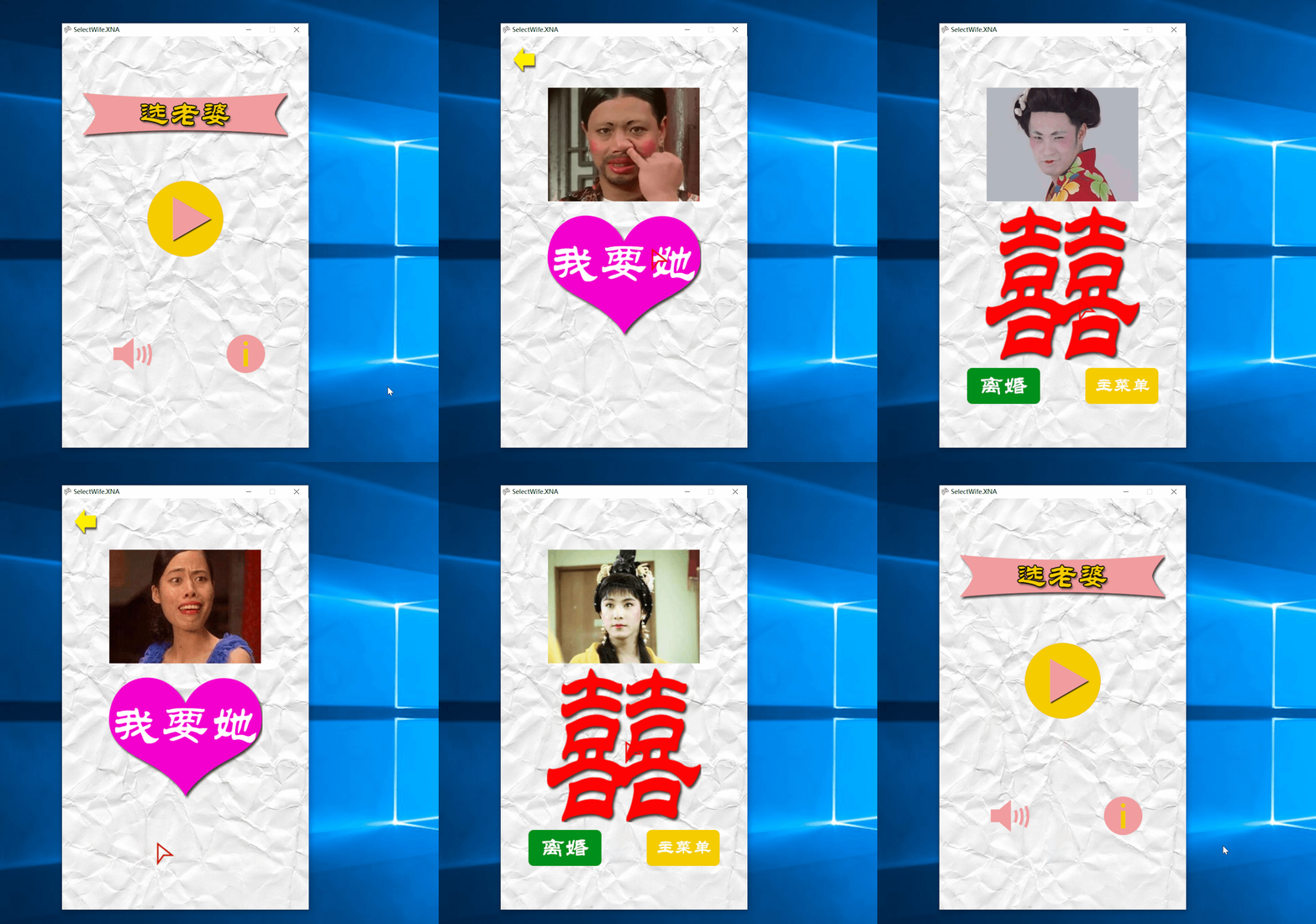
目前为止,基本功能已经完成了。为了让游戏更有趣,在游戏结束页面添加结婚进行曲的音乐!
将素材中的【WeddingMarch.mp3】拷贝到【SelectWife.XNAContent】中,右键属性如下图设置:
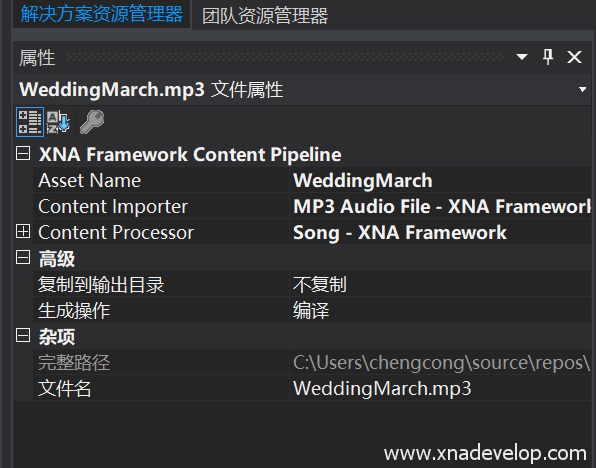
打开GameMain.cs文件,定义结婚进行曲:
//定义结婚进行曲
Song weddingMarch;
在【ContentLoad()】中加载歌曲:
//加载结婚进行曲
weddingMarch = Content.Load<Song>("WeddingMarch");
在【Update(GameTime gameTime)】方法中找到选老婆按钮点击后的切换位置,输入
 if (!isMuted)//判断是否静音
 {
 //停止之前的游戏音乐
 MediaPlayer.Stop();
 //播放结婚进行曲
 MediaPlayer.Play(weddingMarch);
 }
找到游戏结束场景【离婚】和【主菜单】按钮的点击位置,恢复之前的游戏音乐,输入:
if (!isMuted)
{
    //停止之前的结婚进行曲
    MediaPlayer.Stop();
    //播放结婚进行曲
    MediaPlayer.Play(music);
}
接下去需要润色,在有按钮点击的位置加入,按钮点击的音效,当然要判断是否静音。输入:
//按钮点击音效
if(!isMuted)
{
    click.Play();
}
最后需要解决的是残留在之前,按钮重复点击的问题。找到所有点击位置【mouseState.LeftButton != ButtonState.Released】在它之前加入【mouseState != prevMouseState】做&&判断。
已知问题是音效开关点击,关于页面点击等等!
还没完呢,要修改以下游戏的标题。打开GameMain.cs,在构造函数中输入:
//游戏窗口标题
this.Window.Title = "选老婆";
完成代码如下:
using System;
using System.Collections.Generic;
using System.Linq;
using Microsoft.Xna.Framework;
using Microsoft.Xna.Framework.Audio;
using Microsoft.Xna.Framework.Content;
using Microsoft.Xna.Framework.GamerServices;
using Microsoft.Xna.Framework.Graphics;
using Microsoft.Xna.Framework.Input;
using Microsoft.Xna.Framework.Media;
namespace SelectWife.XNA
{
/// <summary>
/// This is the main type for your game
/// </summary>
public class GameMain : Microsoft.Xna.Framework.Game
{
GraphicsDeviceManager graphics;
SpriteBatch spriteBatch;
//之前点击的鼠标状态
MouseState prevMouseState;
//背景音乐
Song music;
//按钮音效
SoundEffect click;
//是否静音
bool isMuted;
//自定义鼠标纹理
Texture2D mouseCursorTexture2D;
//自定义鼠标位置和大小
Rectangle mouseCursorRectangle;
//游戏的宽度和高度
int GameWidth = 480;
int GameHeight = 800;
//当前场景
GameScence currentScence;
//游戏背景纹理
Texture2D gameBackgroundTexture2D;
//游戏背景位置和大小
Rectangle gameBackgroundRectangle;
//标题纹理
Texture2D gameTitleTexture2D;
//标题位置和大小
Rectangle gameTitleRectangle;
//定义开始按钮纹理
Texture2D playNormalTexture2D;
//定义开始按钮的位置和大小
Rectangle playNormalRectangle;
//声效开关按钮的纹理和位置
Texture2D soundOnTexture2D;
//静音按钮的纹理
Texture2D soundOffTexture2D;
Rectangle soundOnRectangle;
//关于按钮的纹理和位置
Texture2D aboutTexture2D;
Rectangle aboutRectangle;
//关于场景中用到的文字资源和位置以及文字内容
SpriteFont aboutFont;
Vector2 aboutFontPosition;
string aboutText = "游戏名称:选老婆\n\r作者:chengcong\n\r版权所有:www.xnadev.com";
//定义返回按钮纹理图片和位置大小
Texture2D backTexture2D;
Rectangle backRectangle;
List<Texture2D> wifeTextureList;//定义图片列表
Rectangle wifeListRectangle;//图片位置和大小
int currentFrame = 0;// 当前图片索引,来显示当前显示的老婆,默认是第一张
int timeLastFrame = 0;//每次切换图片后经过的时间
int timePerFame = 100;//每100毫秒切换一次,默认是16.666毫秒切换一次,即画面刷新率每秒60帧
//选老婆按钮的纹理和位置大小
Texture2D marryHerTexture2D;
Rectangle marryHerRectangle;
//切换老婆开关
bool starting = false;
//双喜图片纹理和位置大小
Texture2D doubleHappinessTexture2D;
Rectangle doubleHappinessRectangle;
//离婚按钮图片纹理和位置大小
Texture2D divorceTexture2D;
Rectangle divorceRectangle;
//主菜单按钮图片纹理和位置大小
Texture2D mainMenuTexture2D;
Rectangle mainMenuRectangle;
//定义结婚进行曲
Song weddingMarch;
public GameMain()
{
graphics = new GraphicsDeviceManager(this);
Content.RootDirectory = "Content";
graphics.PreferredBackBufferWidth = GameWidth;
graphics.PreferredBackBufferHeight = GameHeight;
this.Window.Title = "选老婆";
}
/// <summary>
/// Allows the game to perform any initialization it needs to before starting to run.
/// This is where it can query for any required services and load any non-graphic
/// related content. Calling base.Initialize will enumerate through any components
/// and initialize them as well.
/// </summary>
protected override void Initialize()
{
// TODO: Add your initialization logic here
base.Initialize();
}
/// <summary>
/// LoadContent will be called once per game and is the place to load
/// all of your content.
/// </summary>
protected override void LoadContent()
{
// Create a new SpriteBatch, which can be used to draw textures.
spriteBatch = new SpriteBatch(GraphicsDevice);
//加载背景音乐和按钮音效
music = Content.Load<Song>("Music");
click = Content.Load<SoundEffect>("Click");
//默认设置为不静音
isMuted = false;
//播放背景音乐
MediaPlayer.Play(music);
//设置背景音乐的大小
MediaPlayer.Volume = 0.1f;
MediaPlayer.IsRepeating = true;//重复播放背景音乐
//加载鼠标纹理及坐标大小
mouseCursorTexture2D = Content.Load<Texture2D>("MouseCursor");
mouseCursorRectangle = new Rectangle(0, 0, 45, 45);
currentScence = GameScence.MainMenu;
// TODO: use this.Content to load your game content here
//加载游戏背景图片纹理
gameBackgroundTexture2D = Content.Load<Texture2D>("GameBackground");
//游戏界面是480x800,全屏覆盖
gameBackgroundRectangle = new Rectangle(0, 0, 480, 800);
//加载标题图片纹理
gameTitleTexture2D = Content.Load<Texture2D>("GameTitle");
//初始化标题位置和大小
gameTitleRectangle = new Rectangle((GameWidth - gameTitleTexture2D.Bounds.Width) / 2, 100, gameTitleTexture2D.Bounds.Width, gameTitleTexture2D.Bounds.Height);
//加载开始那妞纹理
playNormalTexture2D = Content.Load<Texture2D>("PlayNormal");
//初始化开始按钮位置和大小
playNormalRectangle = new Rectangle((GameWidth - playNormalTexture2D.Bounds.Width) / 2, 280, playNormalTexture2D.Bounds.Width, playNormalTexture2D.Bounds.Height);
//加载声效开关和关于按钮纹理和位置大小
soundOnTexture2D = Content.Load<Texture2D>("SoundOn");
soundOnRectangle = new Rectangle(100, 580, 75, 75);
aboutTexture2D = Content.Load<Texture2D>("About");
aboutRectangle = new Rectangle(320, 580, 75, 75);
//加载静音纹理
soundOffTexture2D = Content.Load<Texture2D>("SoundOff");
//加载关于字体位置和大小以及内容
aboutFont = Content.Load<SpriteFont>("AboutFont");
Vector2 aboutTextVector2 = aboutFont.MeasureString(aboutText);
aboutFontPosition = new Vector2((GameWidth - (int)aboutTextVector2.X) / 2, 300);
//加载返回按钮的图片纹理和位置大小
backTexture2D = Content.Load<Texture2D>("Back");
backRectangle = new Rectangle(20, 20, 50, 50);
//加载图片列表
wifeTextureList = new List<Texture2D>();
for (int i = 1; i < 12; i++)
{
Texture2D wifeTexture= Content.Load<Texture2D>("Wife" + i);
wifeTextureList.Add(wifeTexture);
}
//定义图片列表位置
wifeListRectangle = new Rectangle((GameWidth - 295) / 2, 100, 295, 221);
//加载选老婆按钮和初始化位置大小
marryHerTexture2D = Content.Load<Texture2D>("MarryHer");
marryHerRectangle = new Rectangle((GameWidth - marryHerTexture2D.Bounds.Width) / 2, 300, marryHerTexture2D.Bounds.Width, marryHerTexture2D.Bounds.Height);
//加载双喜图片纹理和初始化位置大小
doubleHappinessTexture2D= Content.Load<Texture2D>("DoubleHappiness");
doubleHappinessRectangle = new Rectangle((GameWidth - doubleHappinessTexture2D.Bounds.Width) / 2, 330, doubleHappinessTexture2D.Bounds.Width, doubleHappinessTexture2D.Bounds.Height);
//加载离婚图片纹理和初始化位置大小
divorceTexture2D = Content.Load<Texture2D>("Divorce");
divorceRectangle= new Rectangle(50, 640, divorceTexture2D.Bounds.Width, divorceTexture2D.Bounds.Height);
//加载主菜单图片纹理和初始化位置大小
mainMenuTexture2D = Content.Load<Texture2D>("MainMenu");
mainMenuRectangle= new Rectangle(280, 640, mainMenuTexture2D.Bounds.Width, mainMenuTexture2D.Bounds.Height);
//加载结婚进行曲
weddingMarch = Content.Load<Song>("WeddingMarch");
}
/// <summary>
/// UnloadContent will be called once per game and is the place to unload
/// all content.
/// </summary>
protected override void UnloadContent()
{
// TODO: Unload any non ContentManager content here
}
/// <summary>
/// Allows the game to run logic such as updating the world,
/// checking for collisions, gathering input, and playing audio.
/// </summary>
/// <param name="gameTime">Provides a snapshot of timing values.</param>
protected override void Update(GameTime gameTime)
{
// Allows the game to exit
if (GamePad.GetState(PlayerIndex.One).Buttons.Back == ButtonState.Pressed)
this.Exit();
// TODO: Add your update logic here
//获取当前鼠标状态
MouseState mouseState = Mouse.GetState();
//修改自定义鼠标位置的X,Y轴坐标为鼠标当前X,Y位置
mouseCursorRectangle.X = mouseState.X;
mouseCursorRectangle.Y = mouseState.Y;
//判断当前场景是否是主菜单
if (currentScence == GameScence.MainMenu)
{
//判断是否点击了关于按钮
if (mouseState != prevMouseState && mouseState.LeftButton != ButtonState.Released && aboutRectangle.Contains(mouseState.X, mouseState.Y))
{
//将当前场景切换关于场景
currentScence = GameScence.About;
//按钮点击音效
if(!isMuted)
{
click.Play();
}
}
//判断是否点击关闭音效音乐按钮
if (mouseState != prevMouseState && mouseState.LeftButton != ButtonState.Released && soundOnRectangle.Contains(mouseState.X, mouseState.Y))
{
isMuted =! isMuted;
MediaPlayer.IsMuted = isMuted;
//按钮点击音效
if (!isMuted)
{
click.Play();
}
}
//判断是否点击了开始游戏按钮
if (mouseState != prevMouseState && mouseState.LeftButton != ButtonState.Released && playNormalRectangle.Contains(mouseState.X, mouseState.Y))
{
//跳转到游戏场景
currentScence = GameScence.GamePlaying;
starting = true;
//按钮点击音效
if (!isMuted)
{
click.Play();
}
}
}
//判断当前场景是否是游戏场景
else if (currentScence == GameScence.GamePlaying)
{
//判断是否点击了关于按钮
if (mouseState != prevMouseState && mouseState.LeftButton != ButtonState.Released && backRectangle.Contains(mouseState.X, mouseState.Y))
{
//将当前场景切换到主菜单
currentScence = GameScence.MainMenu;
//按钮点击音效
if (!isMuted)
{
click.Play();
}
}
//判断是否点击了选老婆按钮
if (mouseState!=prevMouseState&& mouseState.LeftButton != ButtonState.Released && marryHerRectangle.Contains(mouseState.X, mouseState.Y))
{
//停止切换图片
starting = false;
//切换到游戏结束页面
currentScence = GameScence.GameOver;
if (!isMuted)
{
//停止之前的游戏音乐
MediaPlayer.Stop();
//播放结婚进行曲
MediaPlayer.Play(weddingMarch);
}
//按钮点击音效
if (!isMuted)
{
click.Play();
}
}
if (starting)
{
timeLastFrame = timeLastFrame + gameTime.ElapsedGameTime.Milliseconds;//图片切换后经过的时间(毫秒)
if (timeLastFrame > timePerFame)
{
timeLastFrame = timeLastFrame - timePerFame;//将图片切换后经过的时间恢复到小于每秒切换时间,保证下面代码执行一次
if (currentFrame >= wifeTextureList.Count - 1)
{
currentFrame = 0;
}
else
{
currentFrame += 1;
}
}
}
}
//判断当前场景是否是关于
else if(currentScence == GameScence.About)
{
//判断是否点击了关于按钮
if (mouseState != prevMouseState && mouseState.LeftButton != ButtonState.Released && backRectangle.Contains(mouseState.X, mouseState.Y))
{
//将当前场景切换到主菜单
currentScence = GameScence.MainMenu;
//按钮点击音效
if (!isMuted)
{
click.Play();
}
}
}
else if (currentScence == GameScence.GameOver)
{
//判断是否点击了离婚
if (mouseState != prevMouseState && mouseState.LeftButton != ButtonState.Released && divorceRectangle.Contains(mouseState.X, mouseState.Y))
{
//停止切换图片
starting = true;
//切换到游戏页面
currentScence = GameScence.GamePlaying;
if (!isMuted)
{
//停止之前的结婚进行曲
MediaPlayer.Stop();
//播放结婚进行曲
MediaPlayer.Play(music);
}
//按钮点击音效
if (!isMuted)
{
click.Play();
}
}
//判断是否点击了主菜单
if (mouseState != prevMouseState && mouseState.LeftButton != ButtonState.Released && mainMenuRectangle.Contains(mouseState.X, mouseState.Y))
{
//切换到游戏页面
currentScence = GameScence.MainMenu;
if (!isMuted)
{
//停止之前的结婚进行曲
MediaPlayer.Stop();
//播放结婚进行曲
MediaPlayer.Play(music);
}
//按钮点击音效
if (!isMuted)
{
click.Play();
}
}
}
//鼠标状态赋值给前鼠标状态
prevMouseState = mouseState;
base.Update(gameTime);
}
/// <summary>
/// This is called when the game should draw itself.
/// </summary>
/// <param name="gameTime">Provides a snapshot of timing values.</param>
protected override void Draw(GameTime gameTime)
{
GraphicsDevice.Clear(Color.CornflowerBlue);
//绘制游戏背景
spriteBatch.Begin();
spriteBatch.Draw(gameBackgroundTexture2D, gameBackgroundRectangle, Color.White);
spriteBatch.End();
if (currentScence == GameScence.MainMenu)
{
spriteBatch.Begin();
//主菜单场景绘制界面
spriteBatch.Draw(gameTitleTexture2D, gameTitleRectangle, Color.White);
//绘制开始按钮
spriteBatch.Draw(playNormalTexture2D, playNormalRectangle, Color.White);
//绘制声效开关和关于按钮
if (isMuted)
{
//静音
spriteBatch.Draw(soundOffTexture2D, soundOnRectangle, Color.White);
}
else
{
spriteBatch.Draw(soundOnTexture2D, soundOnRectangle, Color.White);
}
spriteBatch.Draw(aboutTexture2D, aboutRectangle, Color.White);
spriteBatch.End();
}
else if (currentScence == GameScence.GamePlaying)
{
spriteBatch.Begin();
//游戏场景绘制界面
//绘制返回按钮
spriteBatch.Draw(backTexture2D, backRectangle, Color.White);
//绘制老婆图象
spriteBatch.Draw(wifeTextureList[currentFrame], wifeListRectangle, Color.White);
//绘制选老婆按钮
spriteBatch.Draw(marryHerTexture2D, marryHerRectangle, Color.White);
spriteBatch.End();
}
else if (currentScence == GameScence.GameOver)
{
spriteBatch.Begin();
//游戏结束绘制界面
//绘制老婆图象
spriteBatch.Draw(wifeTextureList[currentFrame], wifeListRectangle, Color.White);
//绘制双喜图片
spriteBatch.Draw(doubleHappinessTexture2D, doubleHappinessRectangle, Color.White);
//绘制离婚按钮
spriteBatch.Draw(divorceTexture2D, divorceRectangle, Color.White);
//绘制主菜单按钮
spriteBatch.Draw(mainMenuTexture2D, mainMenuRectangle, Color.White);
spriteBatch.End();
}
else if (currentScence == GameScence.About)
{
spriteBatch.Begin();
//关于场景绘制界面
spriteBatch.DrawString(aboutFont, aboutText, aboutFontPosition, Color.Orange);
//绘制返回按钮
spriteBatch.Draw(backTexture2D, backRectangle, Color.White);
spriteBatch.End();
}
spriteBatch.Begin();
//绘制自定义鼠标
spriteBatch.Draw(mouseCursorTexture2D, mouseCursorRectangle, Color.White);
spriteBatch.End();
// TODO: Add your drawing code here
base.Draw(gameTime);
}
}
}
还有最后一步,修改游戏的logo

在素材中找到【SelectWife.ico】将它重命名为【Game.ico】,重命名后复制它,将它粘贴到【SelectWife.XNA】项目中。
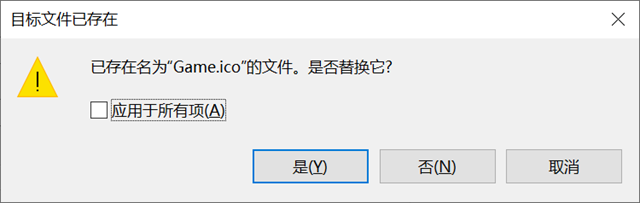
点击【是】。玩没完
选中【SelectWife.XNA】项目,右键属性
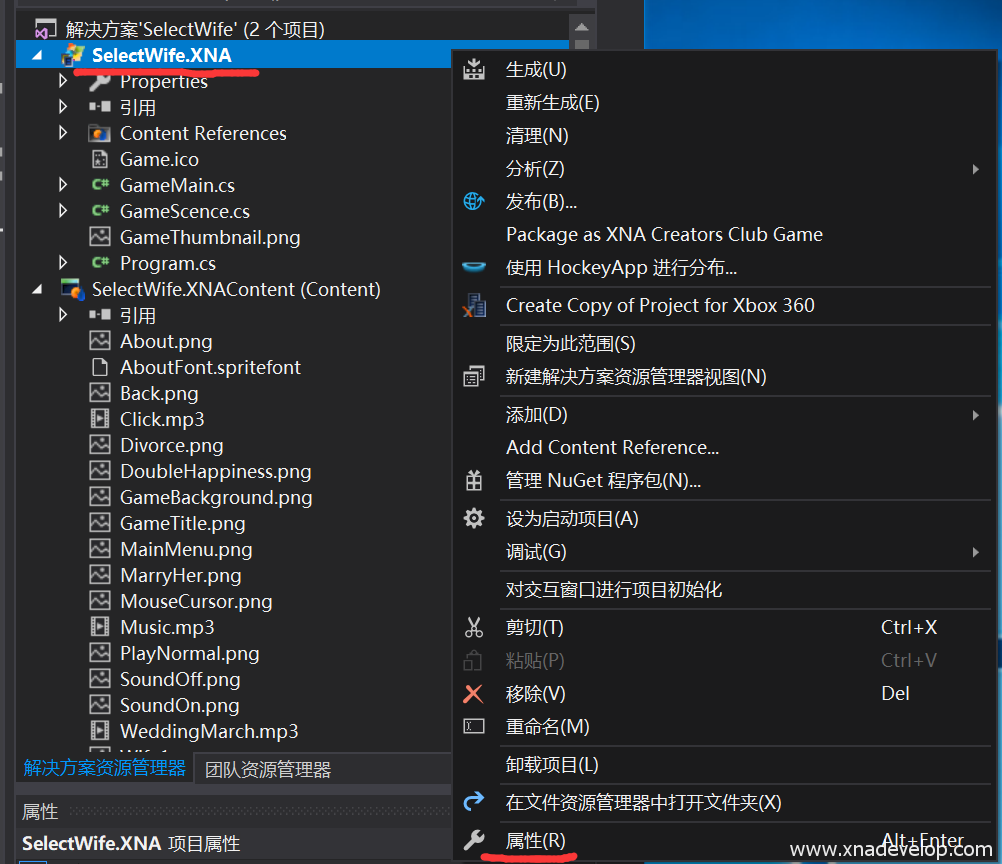
【应用程序】【浏览】操作如下图:
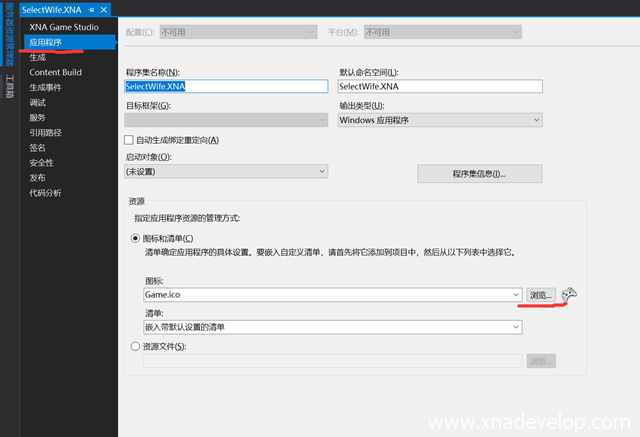
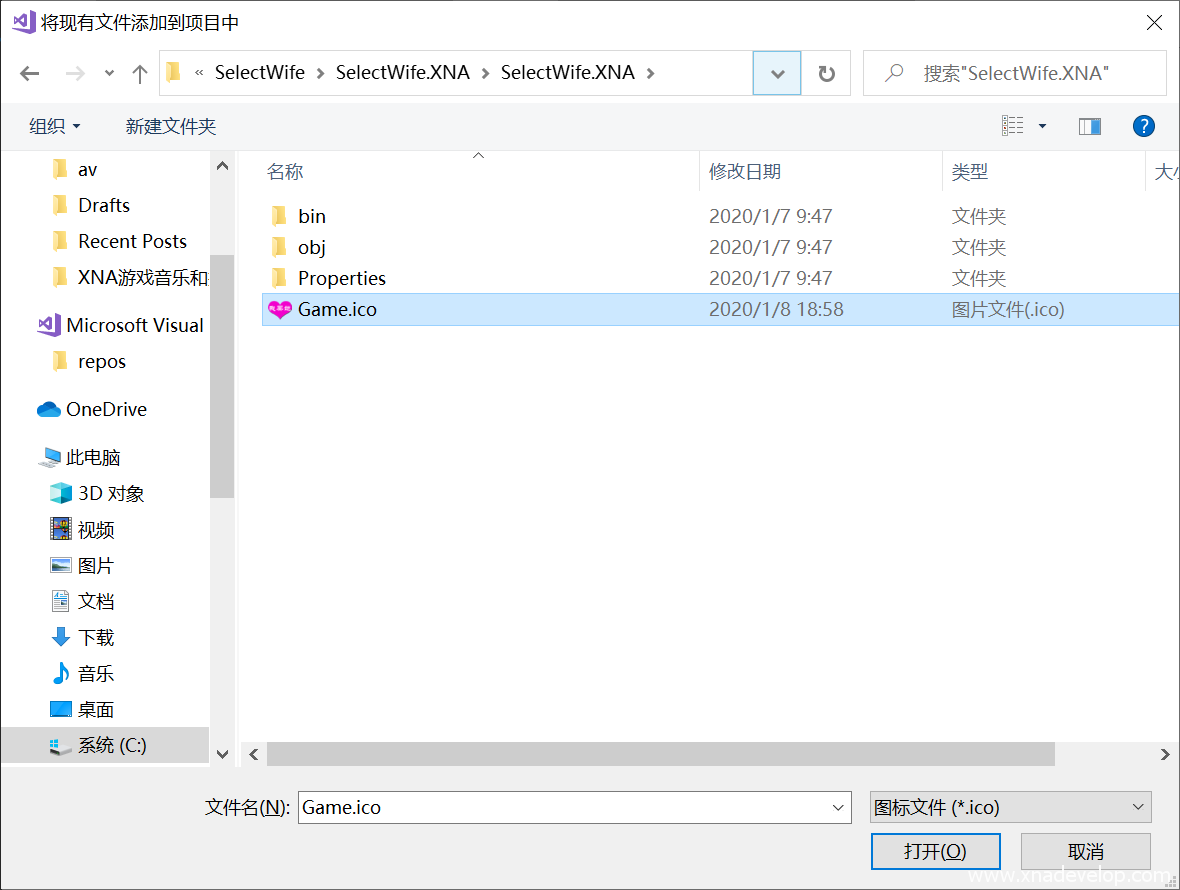
找到你重命名的Game.ico所在位置,选中它,点击【打开】
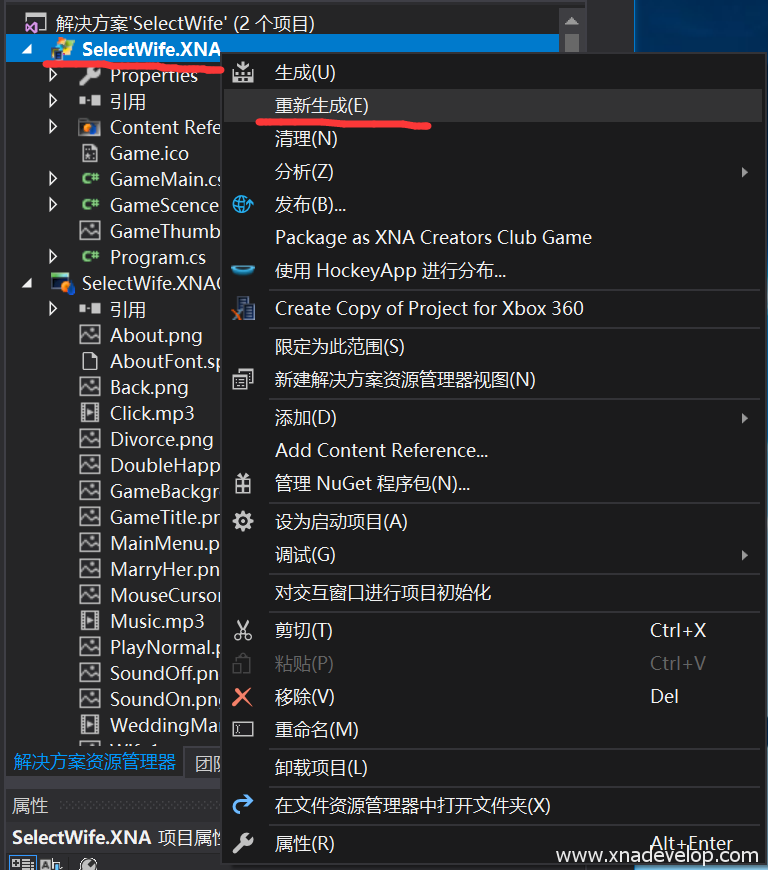
选中【SelectWife.XNA】项目,重新生成
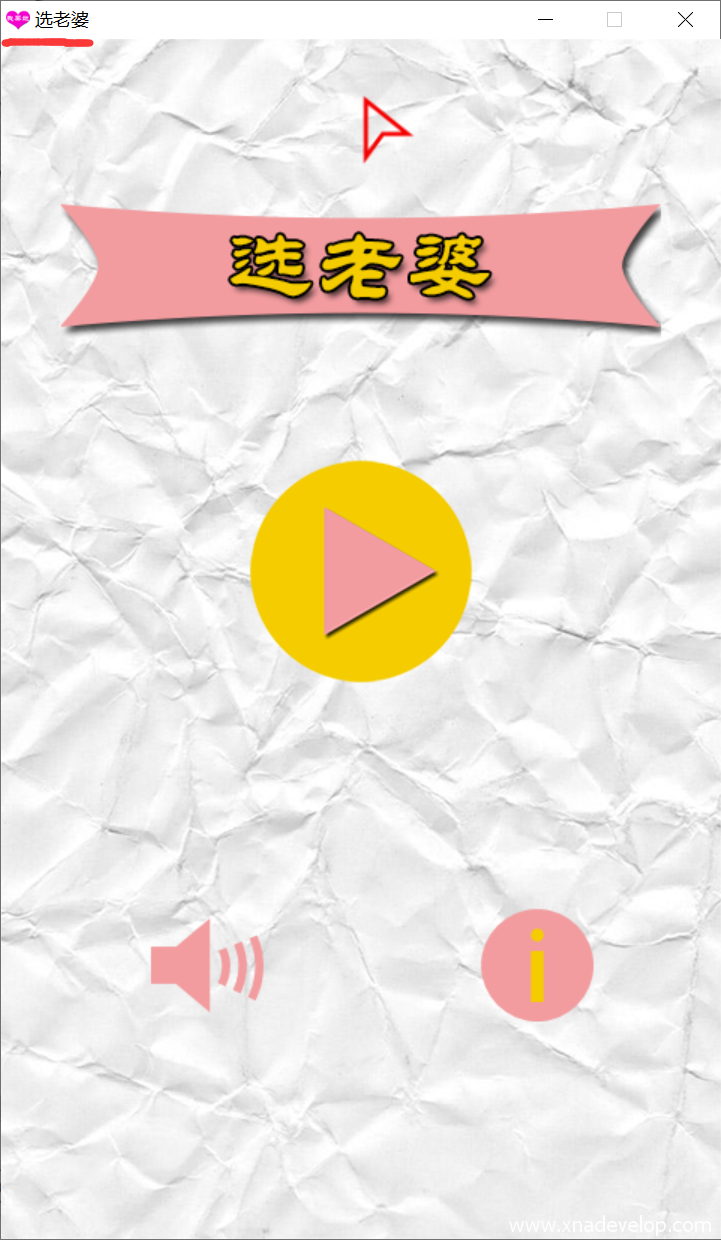
图标已经变了:
最后看一下游戏的整体效果吧!但愿我能选个好老婆!点击【启动】

你妹啊!我还不如屎了算了!
