C#开发跨平台游戏——在MONOGAME/XNA中使用键盘Keyboard
在上一篇教程中我介绍了使用游戏手柄,这一篇我来介绍一下在MonoGame/XNA中使用键盘Keyboard。
在开发桌面游戏PC/Linux/Mac都会使用到键盘,MonoGame/XNA提供的键盘API和手柄非常相似。
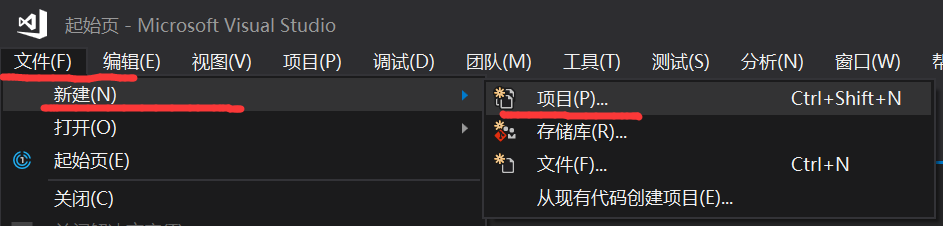
首先打开Visual Studio,【文件】【新建】【项目】
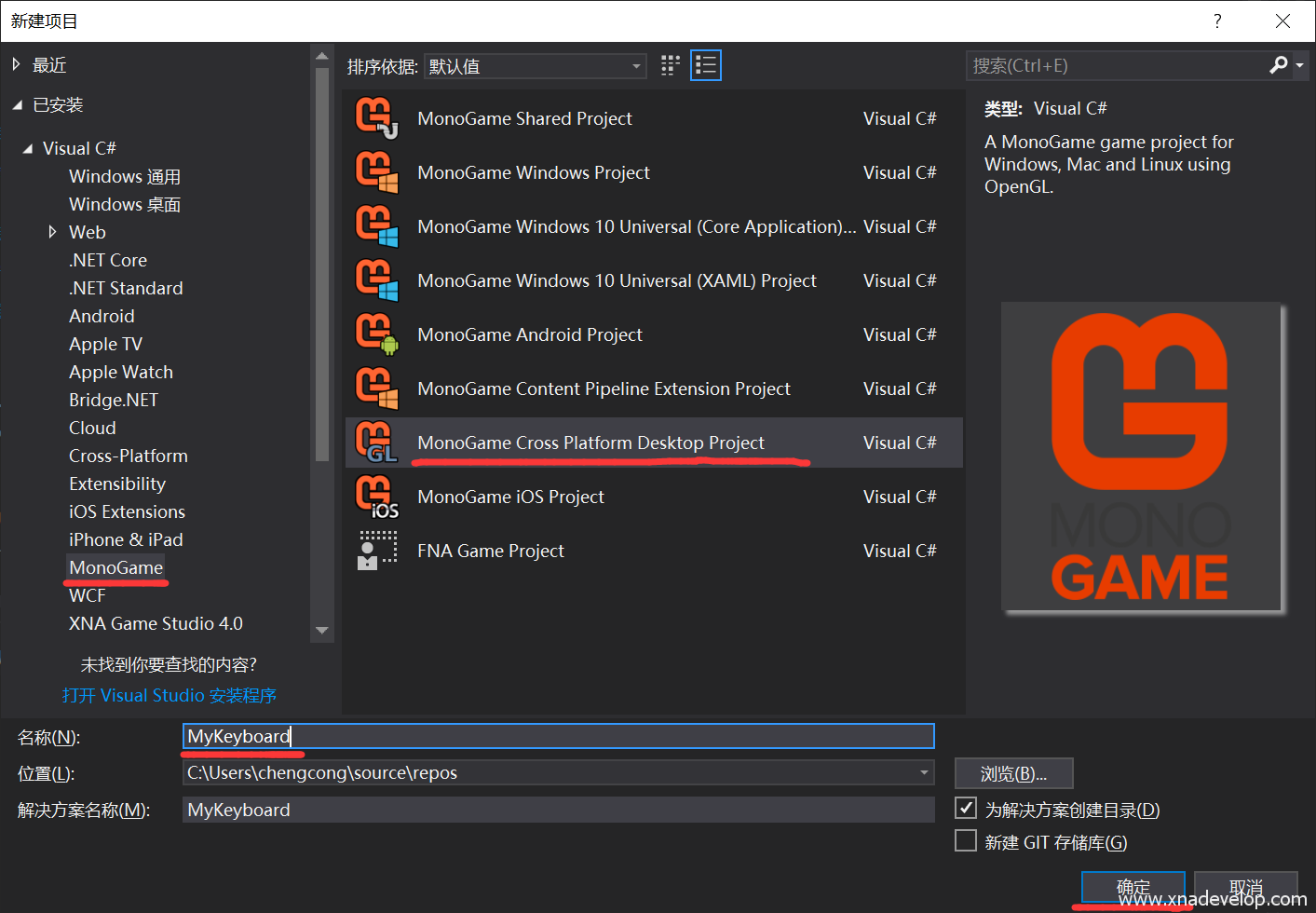
这回我们和以往不一样,选择【MonoGame Cross Platform Desktop Project】,这种项目类型编译的MonoGame游戏可以运行在Windows/Mac/Linux系统中(我会再以后的章节介绍不同平台移植的详细过程和注意事项),将项目名称命名为【MyKeyboard】,点击【确定】
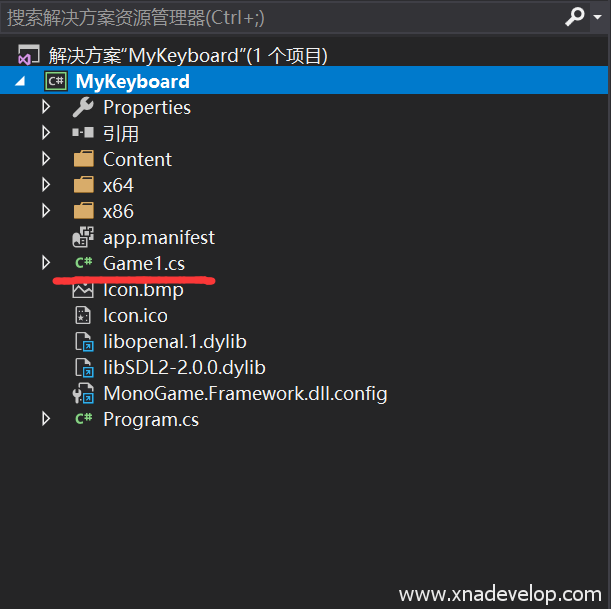
打开解决方案管理器中的Game1.cs文件
找到Game1类中的Update方法,加入以下代码
var keyboard = Microsoft.Xna.Framework.Input.Keyboard.GetState(); //初始化键盘实例
if(keyboard.IsKeyDown(Keys.A))//判断键盘是否按下A键
{
       System.Diagnostics.Debug.WriteLine("A");//在调试界面显示A
}
是不是和手柄的操作一模一样,IsKeyDown判断是否按下键盘的按键,它同样有一个IsKeyUp方法,表示键盘按键按下后释放(抬起),所以这段代码也可以改为
var keyboard = Microsoft.Xna.Framework.Input.Keyboard.GetState(); //初始化键盘实例
if(keyboard.IsKeyUp(Keys.A))//判断键盘是否按下A键后释放(抬起)
{
       System.Diagnostics.Debug.WriteLine("A");//在调试界面显示A
}
所以上次介绍测试手柄所有按键的代码稍加修改就可以用来测试键盘,将上面的代码替换为:
var keyboard = Microsoft.Xna.Framework.Input.Keyboard.GetState();
            var keyNames = System.Enum.GetNames(typeof(Keys));//获取所有手柄按钮名称
            foreach (var btnName in keyNames)
            {
                if (keyboard.IsKeyDown((Keys)System.Enum.Parse(typeof(Keys), btnName)))
                {
                    System.Diagnostics.Debug.WriteLine(btnName);//输出按钮名称
                }
            }
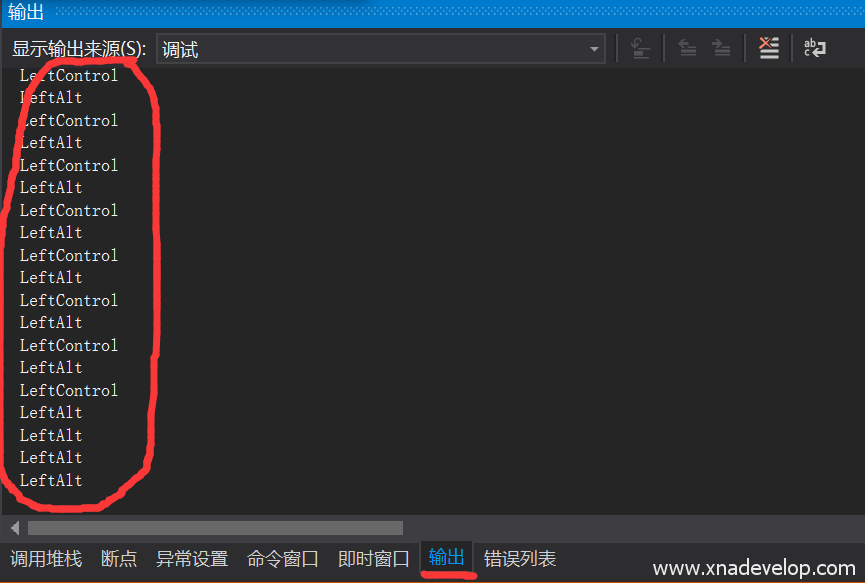
点击【运行】,出现蓝色游戏窗口后,按下键盘的任意按键,在Visual Studio的输出窗口就会出现按键的名字,这个名字可以用作按下键盘按键的判断操作,用于游戏。
下面是完整代码:
using Microsoft.Xna.Framework;
using Microsoft.Xna.Framework.Graphics;
using Microsoft.Xna.Framework.Input;

namespace MyKeyboard
{
    /// <summary>
    /// This is the main type for your game.
    /// </summary>
    public class Game1 : Game
    {
        GraphicsDeviceManager graphics;
        SpriteBatch spriteBatch;

        public Game1()
        {
            graphics = new GraphicsDeviceManager(this);
            Content.RootDirectory = "Content";
        }

        /// <summary>
        /// Allows the game to perform any initialization it needs to before starting to run.
        /// This is where it can query for any required services and load any non-graphic
        /// related content.  Calling base.Initialize will enumerate through any components
        /// and initialize them as well.
        /// </summary>
        protected override void Initialize()
        {
            // TODO: Add your initialization logic here

            base.Initialize();
        }

        /// <summary>
        /// LoadContent will be called once per game and is the place to load
        /// all of your content.
        /// </summary>
        protected override void LoadContent()
        {
            // Create a new SpriteBatch, which can be used to draw textures.
            spriteBatch = new SpriteBatch(GraphicsDevice);

            // TODO: use this.Content to load your game content here
        }

        /// <summary>
        /// UnloadContent will be called once per game and is the place to unload
        /// game-specific content.
        /// </summary>
        protected override void UnloadContent()
        {
            // TODO: Unload any non ContentManager content here
        }

        /// <summary>
        /// Allows the game to run logic such as updating the world,
        /// checking for collisions, gathering input, and playing audio.
        /// </summary>
        /// <param name="gameTime">Provides a snapshot of timing values.</param>
        protected override void Update(GameTime gameTime)
        {
            if (GamePad.GetState(PlayerIndex.One).Buttons.Back == ButtonState.Pressed || Keyboard.GetState().IsKeyDown(Keys.Escape))
                Exit();

            // TODO: Add your update logic here
            var keyboard = Microsoft.Xna.Framework.Input.Keyboard.GetState();
            var keyNames = System.Enum.GetNames(typeof(Keys));//获取所有手柄按钮名称
            foreach (var btnName in keyNames)
            {
                if (keyboard.IsKeyDown((Keys)System.Enum.Parse(typeof(Keys), btnName)))
                {
                    System.Diagnostics.Debug.WriteLine(btnName);//输出按钮名称
                }
            }


            base.Update(gameTime);
        }

        /// <summary>
        /// This is called when the game should draw itself.
        /// </summary>
        /// <param name="gameTime">Provides a snapshot of timing values.</param>
        protected override void Draw(GameTime gameTime)
        {
            GraphicsDevice.Clear(Color.CornflowerBlue);

            // TODO: Add your drawing code here

            base.Draw(gameTime);
        }
    }
}
