DEP0100: Please ensure that target device has developer mode enabled. Could not obtain a developer license due to error 800704C7
用Visual Studio 2017打开UWP项目如果调试运行出现以下错误:
DEP0100: Please ensure that target device has developer mode enabled. Could not obtain a developer license due to error 800704C7
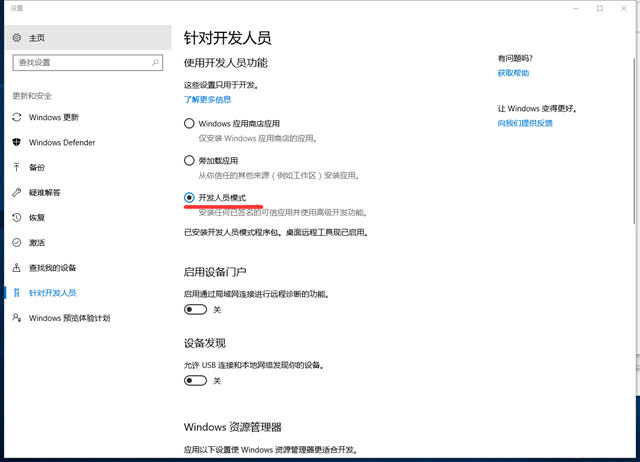
解决办法是windows10默认没有开启开发者模式,打开即可:【开始】【设置】【针对开发人员】选择【开发人员模式】