在MonoGame中使用中文
MonoGame和XNA一样显示中文会报错,如图,所以需要对英文以外的其他字符做特殊处理。
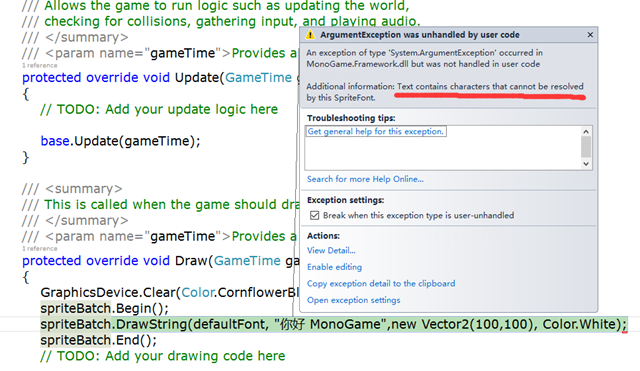
下面提供让MonoGame支持中文显示的办法:
环境:Visual Studio 2015 , MonoGame版本3.5.1——这是个比较稳定的版本。推荐使用。
步骤:
1.新建【MonoGame Cotent Pipeline Extension Project】命名为:LocalizationPipeline,删除ContentImporter1.cs,ContentProcessor1.cs
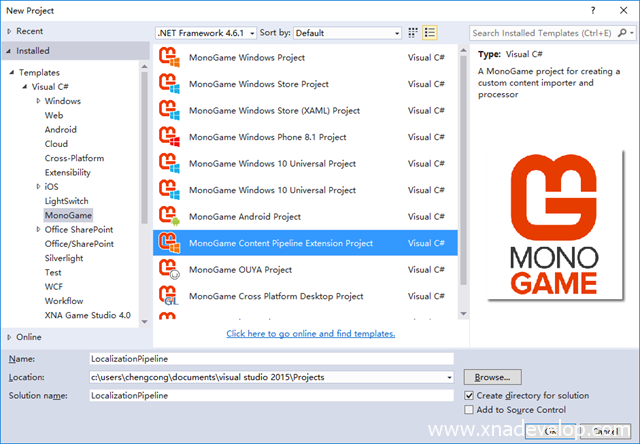
2.复制项目两个文件到项目中LocalizedFontDescription.cs,LocalizedFontProcessor.cs
#region File Description
//-----------------------------------------------------------------------------
// LocalizedFontDescription.cs
//
// Microsoft XNA Community Game Platform
// Copyright (C) Microsoft Corporation. All rights reserved.
//-----------------------------------------------------------------------------
#endregion

#region Using Statements
using System.Collections.Generic;
using Microsoft.Xna.Framework.Content;
using Microsoft.Xna.Framework.Content.Pipeline.Graphics;
#endregion

namespace LocalizationPipeline
{
    /// <summary>
    /// Normally, when you add a .spritefont file to your project, this data is
    /// deserialized into a FontDescription object, which is then built into a
    /// SpriteFontContent by the FontDescriptionProcessor. But to localize the
    /// font, we want to add some additional data, so our custom processor can
    /// know what .resx files it needs to scan. We do this by defining our own
    /// custom font description class, deriving from the built in FontDescription
    /// type, and adding a new property to store the resource filenames.
    /// </summary>
    class LocalizedFontDescription : FontDescription
    {
        /// <summary>
        /// Constructor.
        /// </summary>
        public LocalizedFontDescription()
            : base("Arial", 14, 0)
        {
        }


        /// <summary>
        /// Add a new property to our font description, which will allow us to
        /// include a ResourceFiles element in the .spritefont XML. We use the
        /// ContentSerializer attribute to mark this as optional, so existing
        /// .spritefont files that do not include this ResourceFiles element
        /// can be imported as well.
        /// </summary>
        [ContentSerializer(Optional = true, CollectionItemName = "Resx")]
        public List<string> ResourceFiles
        {
            get { return resourceFiles; }
        }

        List<string> resourceFiles = new List<string>();
    }
}
#region File Description
//-----------------------------------------------------------------------------
// LocalizedFontProcessor.cs
//
// Microsoft XNA Community Game Platform
// Copyright (C) Microsoft Corporation. All rights reserved.
//-----------------------------------------------------------------------------
#endregion

#region Using Statements
using System.IO;
using System.Xml;
using Microsoft.Xna.Framework.Content.Pipeline;
using Microsoft.Xna.Framework.Content.Pipeline.Graphics;
using Microsoft.Xna.Framework.Content.Pipeline.Processors;
#endregion

namespace LocalizationPipeline
{
    /// <summary>
    /// Custom processor extends the SpriteFont build process to scan over the resource
    /// strings used by the game, automatically adding whatever characters it finds in
    /// them to the font. This makes sure the game will always have all the characters
    /// it needs, no matter what languages it is localized into, while still producing
    /// an efficient font that does not waste space on unnecessary characters. This is
    /// especially useful for languages such as Japanese and Korean, which have
    /// potentially thousands of different characters, although games typically only
    /// use a small fraction of these. Building only the characters we need is far more
    /// efficient than if we tried to include the entire CJK character region.
    /// </summary>
    [ContentProcessor]
    class LocalizedFontProcessor : ContentProcessor<LocalizedFontDescription,
                                                    SpriteFontContent>
    {
        /// <summary>
        /// Converts a font description into SpriteFont format.
        /// </summary>
        public override SpriteFontContent Process(LocalizedFontDescription input,
                                                  ContentProcessorContext context)
        {
            // Scan each .resx file in turn.
            foreach (string resourceFile in input.ResourceFiles)
            {
                string absolutePath = Path.GetFullPath(resourceFile);

                // Make sure the .resx file really does exist.
                if (!File.Exists(absolutePath))
                {
                    throw new InvalidContentException("Can't find " + absolutePath);
                }

                // Load the .resx data.
                XmlDocument xmlDocument = new XmlDocument();

                xmlDocument.Load(absolutePath);

                // Scan each string from the .resx file.
                foreach (XmlNode xmlNode in xmlDocument.SelectNodes("root/data/value"))
                {
                    string resourceString = xmlNode.InnerText;

                    // Scan each character of the string.
                    foreach (char usedCharacter in resourceString)
                    {
                        input.Characters.Add(usedCharacter);
                    }
                }

                // Mark that this font should be rebuilt if the resource file changes.
                context.AddDependency(absolutePath);
            }

            // After adding the necessary characters, we can use the built in
            // FontDescriptionProcessor to do the hard work of building the font for us.
            return context.Convert<FontDescription,
                                   SpriteFontContent>(input, "FontDescriptionProcessor");
        }
    }
}
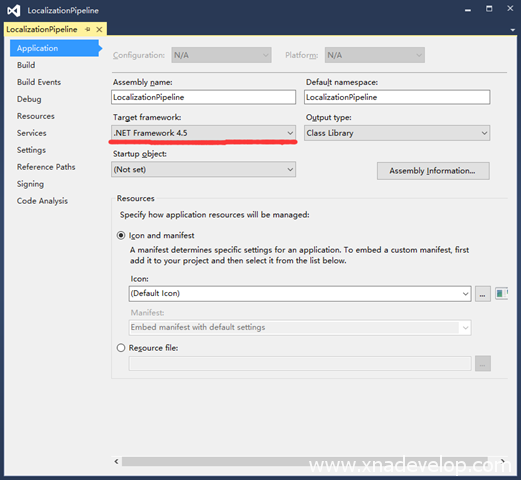
3.选中LocalizationPipeline项目点击右键选择Properties,.net 框架改成4.5
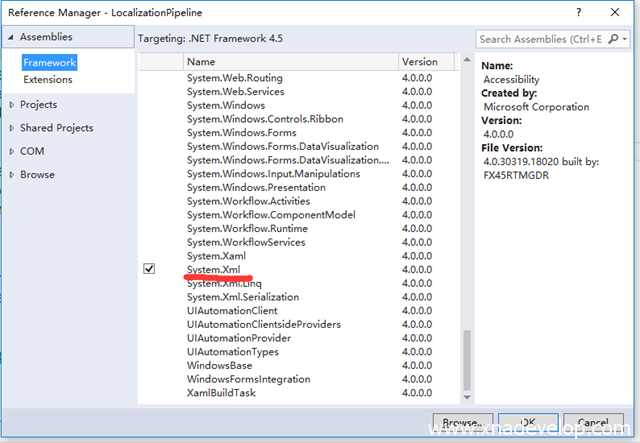
4.添加System.Xml.dll引用
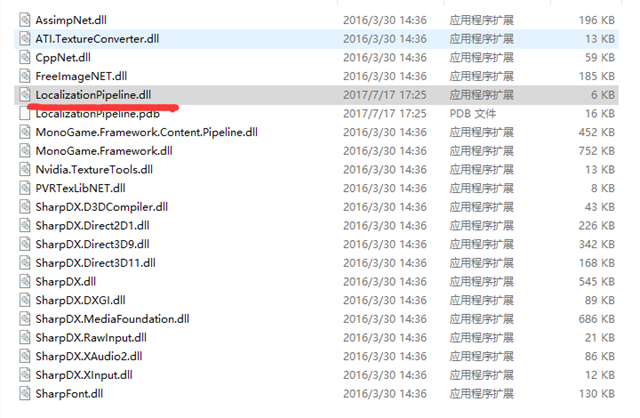
5.编译生成LocalizationPipeline.dll复制备用,一般在LocalizationPipeline\bin\Debug中
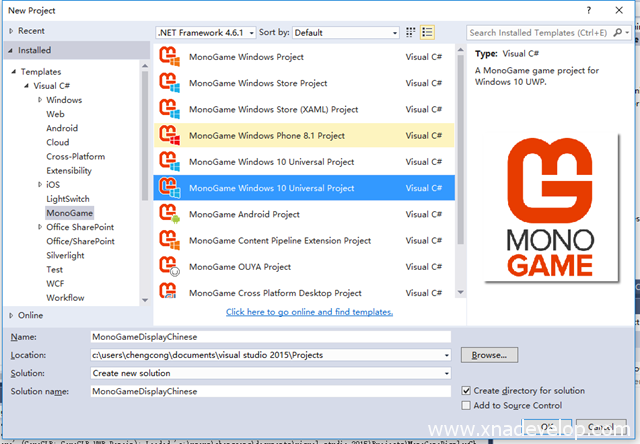
6.新建MonoGame游戏项目,命名为:MonoGameDisplayChinese,以UWP项目为例
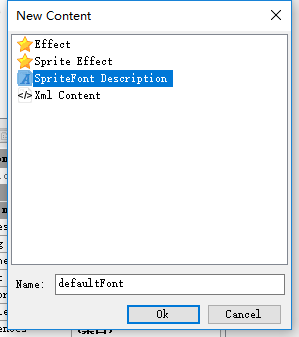
7.找到项目Content目录的Content.mgcb,双击打开它,选中Content右键【Add】【New Item】【SpriteFont Description】命名为defaultFont,在Content目录可以就找到defaultFont.spritefont文件。
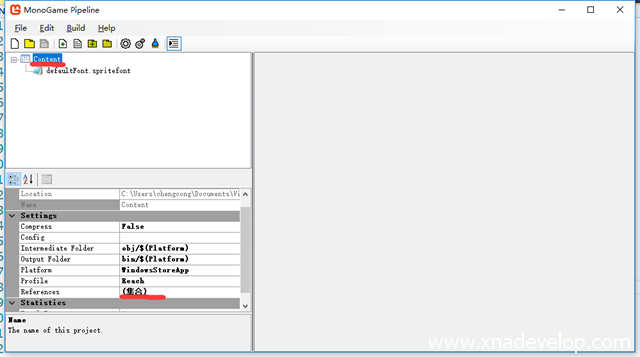
接着选中Content.mgcb中Content,添加references ,引用LocalizationPipeline.dll
8.使用Visual Studio打开defaultFont.spritefont,修改XnaContent标签中的Asset的Type值为LocalizationPipeline.LocalizedFontDescription,
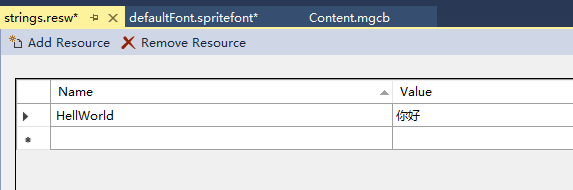
9.在MonoGameDisplayChinese新建增加strings.resw(UWP项目.resw,其他项目可以是.resx)
Name可以是任意名字,Value中可以存储使用到的任何中文字符
文件ResourceFiles标签到Asset节点中
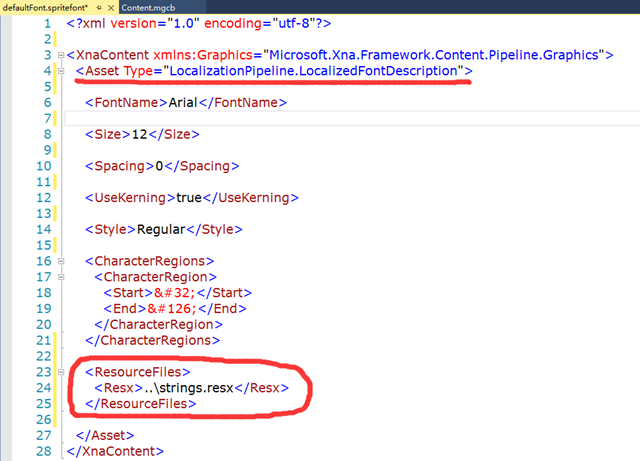
<?xml version="1.0" encoding="utf-8"?>
<XnaContent xmlns:Graphics="Microsoft.Xna.Framework.Content.Pipeline.Graphics">
<Asset Type="LocalizationPipeline.LocalizedFontDescription">
<FontName>Microsoft JhengHei</FontName>
<Size>14</Size>
<Spacing>0</Spacing>
<UseKerning>true</UseKerning>
<Style>Regular</Style>
<CharacterRegions>
<CharacterRegion>
<Start> </Start>
<End>~</End>
</CharacterRegion>
</CharacterRegions>
<ResourceFiles>
<Resx>..\strings.resw</Resx>
</ResourceFiles>
</Asset>
</XnaContent>
注意:Resx的路径是相对Content目录的路径,前面加了..\,如果是UWP项目..\strings.resx改成..\strings.resw
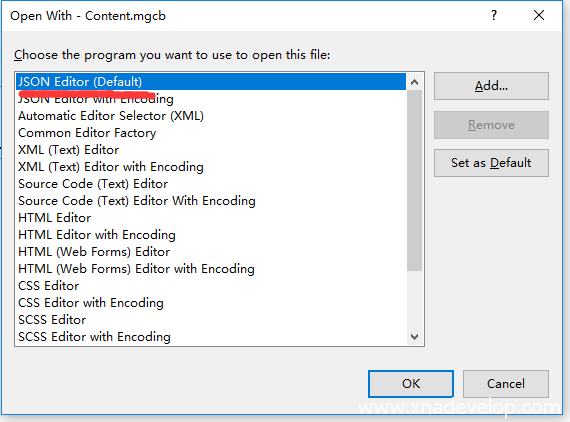
10.回到MonoGameDisplayChinese项目,选中Content.mgcb,右键Open With,选择JSON Editor打开,任何文本编辑器都可以打开!
修改processor的值为LocalizedFontProcessor,保存关闭!
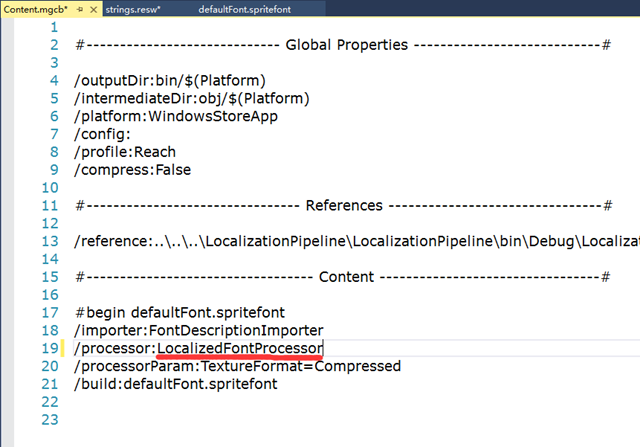
11.再次打开Content.mgcb,选中defaultFont.spritefont会发现Processor已经改变了。(GUI模式是没法改这个值的)
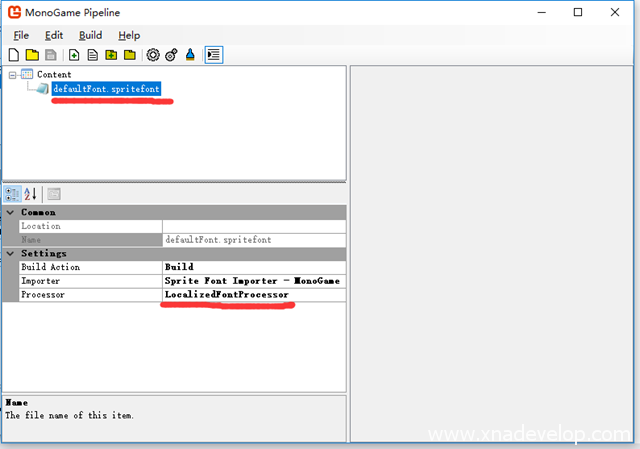
12.选中Content,找到Platform,修改成对应的平台如果是UWP就选择WindowsStoreApp
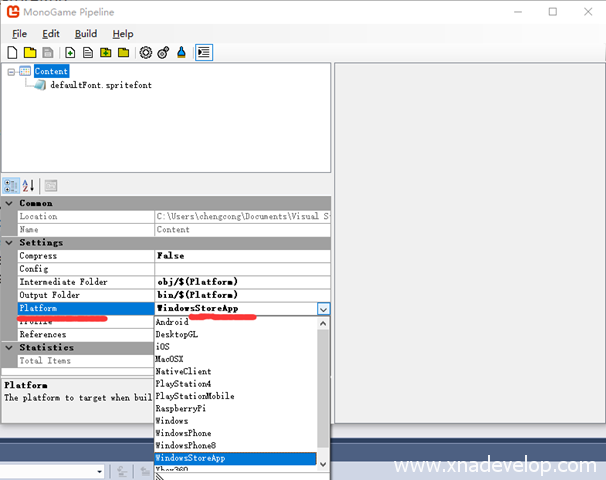
13.菜单栏【Build】点击【Build】或者是【Rebuild】,编译生成xnb文件。找到它,通常在Content.mgcb文件所在目录的bin目录里。

14.复制生成的defaultFont.xnb文件到MonoGameDisplayChinese项目的Content目录,修改Build Action类型为Content,输出目录设置为总是即Copy always
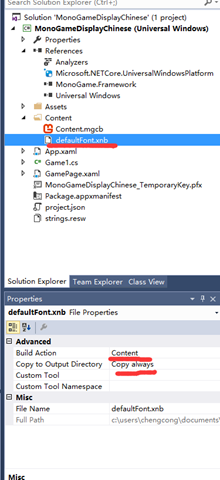
14.至此这个支持中文字体的xnb就做了,接着就可以使用中文了。
这个例子稍加修改,可以实现MonoGame的多语言。
上诉方法适用所有MonoGame版本包括3.5.1或者更高
如果你使用的是MonoGame3.5.1或之前的版本,感觉这个方法比较复杂(头都看晕了?!),本站还提供更加容易的支持中文的方法(如下):
http://www.xnadev.com/ios/monogame-character-support-simplification-tool/
