WinUI3获取当前系统桌面尺寸
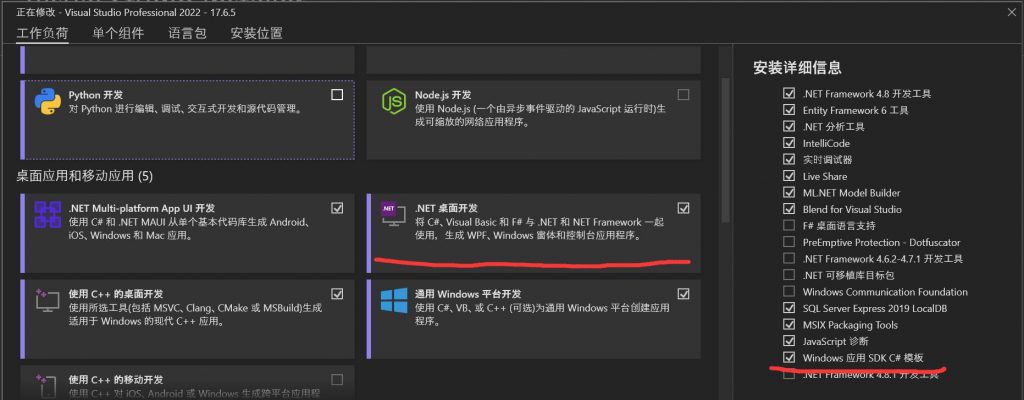
WinUI3项目基于WindowsAppSDK,适用版本是1.3.230502000以上,打开Visual Studio Installer 修改Visual Studio 2022
选择.NET桌面开发中的Windows 应用 SDK C# 模板即可使用!
public async static Task<SizeInt32> GetMonitorSize()
        {

            var monitorSize = new SizeInt32();
            var displayList = await DeviceInformation.FindAllAsync
                              (DisplayMonitor.GetDeviceSelector());

            if (!displayList.Any())
                return monitorSize;

            var monitorInfo = await DisplayMonitor.FromInterfaceIdAsync(displayList[0].Id);
            if (monitorInfo != null)
            {
                monitorSize= monitorInfo.NativeResolutionInRawPixels;
            }
            return monitorSize;

        }
